

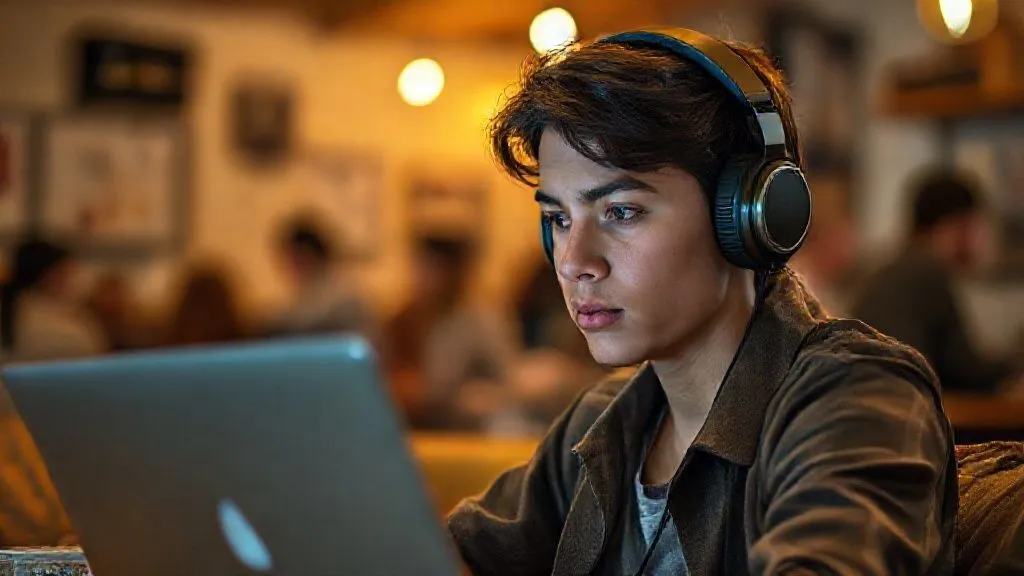
How to conduct professional video calls from a budget hostel?
For over 15 years, traversing the globe as a digital nomad and consultant, I've seen firsthand the incredible freedom and occasional frustrations that come with working remotely. One challenge that consistently trips up even the most seasoned travelers, especially those embracing budget hostel stays, is maintaining professionalism during crucial video calls.
The romantic ideal of working from a sun-drenched common room often clashes with the reality of spotty Wi-Fi, unexpected background noise, and a distinct lack of privacy. This isn't just an inconvenience; it can undermine your credibility, impact client relationships, and even cost you opportunities.
But I'm here to tell you that it doesn't have to be this way. In this definitive guide, I'll share my battle-tested strategies, essential gear recommendations, and clever hacks to empower you to conduct professional video calls from any budget hostel, ensuring your remote work thrives without compromise.
The Unseen Challenges: Why Hostels Test Your Professionalism
Before we dive into solutions, let's acknowledge the unique hurdles that budget hostels present. Understanding these challenges is the first step to effectively overcoming them.
Noise Pollution: The Silent Killer of Focus
Hostels are inherently social places. From dorm room chatter and late-night arrivals to kitchen clatter and common area music, noise is an ever-present factor. For a professional video call, this auditory chaos can be disastrous, making it nearly impossible to concentrate or be heard clearly.
Connectivity Conundrums: When Wi-Fi Fails You
While most hostels offer 'free Wi-Fi,' the quality can vary wildly. Shared bandwidth, overloaded networks, and inconsistent signal strength are common. A dropped connection or pixelated video during a critical meeting is not just embarrassing; it's unprofessional.
Privacy Paradox: Finding Your Quiet Corner
True privacy is a luxury in a hostel. Whether you're in a dorm or a common area, you're constantly surrounded by others. This can make sensitive conversations awkward and create an impression of unprofessionalism if your background is too distracting or your personal space is clearly compromised.
The Visual Vexation: Managing Your Background
Beyond privacy, your visual background speaks volumes. A messy dorm bed, a bustling common room, or even just an unkempt wall can detract from your professional image. Projecting competence often starts with a visually clean and distraction-free environment, which is hard to come by in a typical hostel.
Strategic Gear: Your Essential Toolkit for Hostel Calls
From years of trial and error, I've distilled the essential gear that transforms a challenging hostel environment into a functional remote workspace. Think of these as your personal force field against common hostel woes.
Noise-Cancelling Headphones: Your Audio Sanctuary
This is arguably your most critical investment. High-quality active noise-cancelling (ANC) headphones don't just block out external sounds for you; many also have excellent microphones that isolate your voice, making you sound clear even in a noisy environment. I've seen countless digital nomads try to get by with standard earbuds, only to regret it when a construction site kicks in next door.
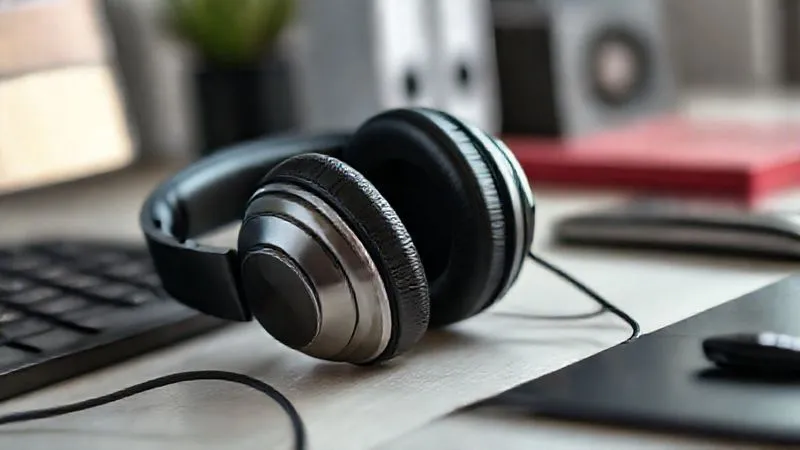
External Microphone: Crystal Clear Communication
While good ANC headphones often have decent mics, a dedicated external microphone can elevate your audio quality significantly. USB lavalier mics are discreet and effective, clipping onto your shirt. For a more robust setup, a small USB condenser mic offers studio-quality sound, crucial for presentations or interviews.
Portable Wi-Fi Hotspot: Your Internet Lifeline
Never rely solely on hostel Wi-Fi. A portable Wi-Fi hotspot, often called a 'MiFi' device, uses a local SIM card to provide a personal, reliable internet connection. This is your ultimate backup and often your primary connection for important calls, ensuring you're always online, even if the hostel's network falters. According to a Deloitte study on the future of work, reliable connectivity is a top enabler for remote productivity.
Webcam (Optional but Recommended): Elevating Your Visuals
Most laptop cameras are adequate, but an external webcam offers superior image quality, better low-light performance, and more flexible positioning. This allows you to present a sharper, more professional image, which can significantly enhance your perceived professionalism.
| Gear Item | Benefit | Key Feature |
|---|---|---|
| Noise-Cancelling Headphones | Eliminates background noise, improves focus | Active Noise Cancellation (ANC) |
| External Microphone | Clearer voice pickup, professional audio | Omnidirectional or Cardioid pattern |
| Portable Wi-Fi Hotspot | Reliable internet, backup connectivity | 4G/5G compatibility, long battery life |
| Webcam (External) | Superior video quality, better framing | 1080p or 4K resolution |
Mastering Your Environment: The Art of Finding Your Space
Even with the best gear, your physical surroundings play a huge role. Learning to scout, adapt, and create your own 'micro-office' is a skill I've honed over years of budget travel.
Scouting Missions: Pre-Call Reconnaissance
Before any important call, I always conduct a quick 'scouting mission.' This means walking around the hostel to identify potential call locations. Here’s my checklist:
- Look for designated quiet zones: Many modern hostels now have co-working spaces or quiet lounges.
- Assess common areas during off-peak hours: Early mornings or late nights are often quieter.
- Check private rooms/pods: If available and within budget, a private room for an hour or two can be a lifesaver.
- Consider outdoor spaces: A quiet patio or garden area, weather permitting, can offer fresh air and fewer distractions.
- Test Wi-Fi signal strength: Use a speed test app at each potential spot.
The Power of Timing: Scheduling Smart
One of the easiest ways to mitigate noise is to schedule your calls strategically. If you know the hostel kitchen is a hive of activity from 7-9 AM, avoid scheduling calls then. Conversely, midday during tour departures or late evenings after most travelers have settled in can offer unexpected pockets of calm.
Creating Your 'Micro-Office': Improvised Privacy
Sometimes, you have to create your own sanctuary. I've used everything from strategically placed backpacks to hanging towels to create a visual barrier. Look for corners, alcoves, or even the space under a bunk bed if absolutely necessary. The goal is to minimize visual distractions behind you and create a psychological boundary for yourself.
"Adaptability isn't just a trait for digital nomads; it's a core competency for anyone navigating the modern remote work landscape, especially when considering how to conduct professional video calls from a budget hostel."
Case Study: How Anya Secured a Crucial Deal from a Hostel Common Room
Anya, a freelance graphic designer, had a critical client pitch scheduled for 10 AM, but her hostel in Lisbon was unexpectedly bustling. Instead of panicking, she implemented her 'micro-office' strategy. She found a large, unused table in a far corner of the common area. Using her backpack and an extra blanket draped over a chair, she created a visual 'wall' behind her. With her noise-cancelling headphones and an external mic, she effectively isolated her audio. She also utilized her video call software's background blur feature. The client never suspected she was in a busy hostel, and Anya successfully closed the deal, proving that a little ingenuity goes a long way.
Optimizing Your Setup: Software and Settings for Success
Beyond hardware and location, the software you use and how you configure it can make a tremendous difference in your call quality and professionalism.
Background Blur and Virtual Backgrounds: Your Visual Shield
Most major video conferencing platforms (Zoom, Google Meet, Microsoft Teams) offer background blur or virtual background features. These are invaluable in a hostel. A subtle blur can hide a busy dorm room, while a professional virtual background (e.g., a clean office or a neutral gradient) can completely transform your visual presentation. Always opt for something understated and professional to avoid distractions.
Audio Settings: Mute Discipline and Input Levels
Always double-check your audio input settings before a call. Ensure your external microphone or noise-cancelling headphones are selected. Practice 'mute discipline' – keep yourself muted whenever you're not speaking to prevent accidental background noise from disrupting the call. Many platforms also have 'noise suppression' features; enable them!
Lighting Hacks: Look Your Best, Anywhere
Good lighting can make a huge difference. Position yourself facing a window for natural, soft light. If natural light isn't an option, a small, portable LED ring light (easily found online) can provide professional illumination. Avoid backlighting, which will silhouette you and make you appear dark and indistinct. Looking good is part of how to conduct professional video calls from a budget hostel effectively.
Navigating Hostel Etiquette and Communication
Being a considerate guest while also maintaining your professional commitments is a delicate balance. Clear communication and preparation are key.
Informing Your Roommates: A Courtesy Call
If you must take a call in a shared dorm, a simple heads-up to your roommates can prevent awkward interruptions. A quick note, "Hey, I have a video call from 10-11 AM, just a heads-up," goes a long way. This builds goodwill and minimizes potential conflicts. It’s a small step that shows respect and can vastly improve your experience.
Minimizing Distractions: Your Personal Responsibility
Even with noise-cancelling headphones, be mindful of your vocal volume. Speak clearly but avoid shouting. Keep your movements minimal and try not to fidget or make loud noises that could be picked up by your mic or distract others. Your goal is to be as unobtrusive as possible, allowing others to enjoy their hostel experience while you conduct your business.
Having a Backup Plan: Always Be Prepared
What if everything goes wrong? Your hotspot dies, the hostel has a sudden power cut, or a party erupts next to your 'quiet' corner. Always have a backup plan. This could involve having a data plan on your phone for tethering, knowing the location of a nearby cafe with reliable Wi-Fi, or even having a pre-drafted email to send to clients if you need to reschedule due to unforeseen circumstances. As Harvard Business Review advises on virtual meetings, preparation is paramount.
Case Study: Maria's Miraculous Meeting in Marrakech
Maria, a marketing strategist, was on a shoestring budget backpacking through Morocco when an unexpected urgent client meeting popped up. She was staying in a lively hostel in Marrakech with a courtyard that served as both a common area and a social hub. The thought of taking a high-stakes meeting there was daunting, but she had no other option.
Drawing on her experience, Maria woke up at 5:30 AM, an hour before anyone else stirred. She found a secluded bench in a quiet corner of the courtyard, away from the main thoroughfare. Using her portable Wi-Fi hotspot and fully charged noise-cancelling headphones, she set up her laptop. She ensured her background was a plain, distant wall of the hostel, and activated Zoom's background blur. The natural, soft morning light was perfect. She had a thermos of coffee and a glass of water ready.
When her call started at 6 AM local time, the courtyard was still silent. Her client, based in New York, saw a professional, focused Maria delivering her strategy with confidence. She managed to complete the 45-minute call without a single interruption or technical glitch. By the time the first few travelers started to emerge for breakfast, Maria was already wrapping up, having successfully delivered her presentation and impressed her client. This experience cemented her belief that with the right preparation and tools, you can truly conduct professional video calls from a budget hostel, even in the most challenging environments.
Expert Insights & Common Pitfalls to Avoid
Through my years of remote work, I've gathered some crucial insights and observed common mistakes that can derail your professional image while traveling. Learn from these to ensure your success.
"The true professional isn't defined by their office, but by their adaptability and commitment to quality, no matter the circumstances. Your ability to conduct professional video calls from a budget hostel speaks volumes about your resourcefulness."
Don't Rely Solely on Hostel Wi-Fi
This is a pitfall I've seen far too many times. Hostel Wi-Fi is a convenience, not a guarantee of professional-grade connectivity. Always have a backup, like a portable hotspot or a local SIM card with a data plan. For critical calls, test the speed well in advance. Forbes Advisor often reviews the best portable Wi-Fi hotspots, which can be invaluable.
Avoid Last-Minute Scrambles
Never wait until 5 minutes before your call to find a spot, test your internet, or charge your devices. Allocate at least 30 minutes for setup and testing. This buffer time reduces stress and allows you to troubleshoot any unexpected issues calmly. Being prepared is half the battle when trying to conduct professional video calls from a budget hostel.
Test Your Setup Before Every Call
Even if you used the same setup successfully yesterday, things can change. A new group of guests might be hogging bandwidth, or your device might have updated its audio drivers. A quick test call with a friend or using your conferencing platform's test feature is a non-negotiable step.
| Pitfall | Solution |
|---|---|
| Assuming hostel Wi-Fi is sufficient | Carry a portable hotspot & test speed beforehand |
| Ignoring background noise | Invest in ANC headphones & external mic |
| Lack of a designated 'call zone' | Scout quiet areas or use private pods/rooms |
| Poor lighting/unprofessional background | Utilize natural light, virtual backgrounds, or external light source |
One final piece of advice: always be transparent if unavoidable issues arise. A quick, honest message like, "Apologies for the slight delay, experiencing a temporary connectivity issue on my end, I'll be right with you," is far better than silence and frustration.
Frequently Asked Questions (FAQ)
Q: What are the best budget-friendly noise-cancelling headphones for travel? A: While premium brands like Sony and Bose are excellent, budget options like Anker Soundcore Life Q30/Q35 or JBL Tune 760NC offer surprisingly good ANC and microphone quality for their price point, making them great choices for professional calls from a hostel. Always check reviews specifically mentioning mic quality.
Q: How can I find a private space in a full hostel when all common areas are busy? A: This requires creativity. Check if the hostel has a library, a small lounge, or even an outdoor space that might be less used. If desperate, consider booking a private room for a few hours at a nearby co-working space or even a quiet café with good Wi-Fi. Sometimes, a quiet corner in a dorm, combined with headphones and a virtual background, is your only option.
Q: What should I do if my internet connection fails completely during an important call? A: Your first step should be to switch to your portable hotspot or phone's tethering. If that also fails, immediately send a brief message (via text or email) to your call participants explaining the technical difficulty and stating you'll rejoin as soon as possible. Have a backup communication method (like WhatsApp) pre-arranged with critical contacts.
Q: How do I manage time zones for professional calls while constantly moving between hostels in different countries? A: Use a reliable time zone converter app or website (like World Clock Meeting Planner). Always confirm meeting times in your current local time and the client's local time. Communicate your current time zone clearly to clients if there's any ambiguity. I always add a note like 'My time: GMT+1' to my calendar invites.
Q: Is it rude to take professional calls in a hostel common area, even with headphones? A: While noise-cancelling headphones help you, your speaking voice can still disturb others. It's generally more considerate to find a quieter, more secluded spot. If a common area is your only option, keep your voice low, be mindful of others, and keep the call as brief as possible. Always prioritize finding a designated quiet zone if available.
Key Takeaways and Final Thoughts
Conducting professional video calls from a budget hostel doesn't have to be a source of anxiety. It's a skill that, with the right preparation, tools, and mindset, can be mastered. As an experienced industry specialist, I've seen countless remote professionals thrive in challenging environments by embracing these strategies.
- Invest in Quality Gear: Noise-cancelling headphones and a portable hotspot are non-negotiable.
- Master Your Environment: Scout for quiet spots and create your own 'micro-office.'
- Optimize Your Software: Utilize background blur, noise suppression, and good lighting.
- Communicate and Prepare: Inform others, practice mute discipline, and always have a backup plan.
- Embrace Adaptability: Your ability to pivot and problem-solve is your greatest asset.
Remember, your professionalism isn't defined by a fancy office, but by your ability to deliver quality work consistently, regardless of your location. By implementing these expert hacks, you'll not only navigate the challenges of hostel life but also impress your clients and colleagues with your resourcefulness and dedication. Go forth, travel, and conquer your remote work with confidence!
Recommended Reading
- Solo Female Safety: 7 Smart Ways to Navigate Cultural Gender Norms
- Unlock the Secrets: How to Choose the Best Scenic Glamping Experience
- Unlock Serenity: The Ultimate Luxury Spa Retreat for Burnout Relief
- 7 Steps: Packaging Extreme Adventure with Luxury Glamping Experiences
- Rescue Ready: 7 Steps to Extract an Injured Caver from a Narrow Passage




Your email address will not be published. Required fields are marked *