

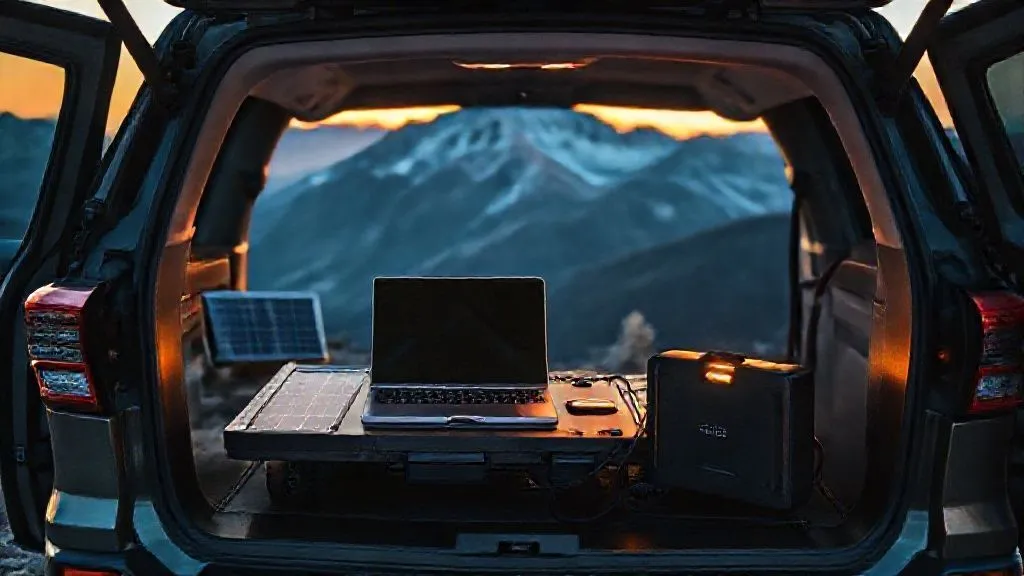
How to Reliably Power Remote Work Setup During Car Camping?
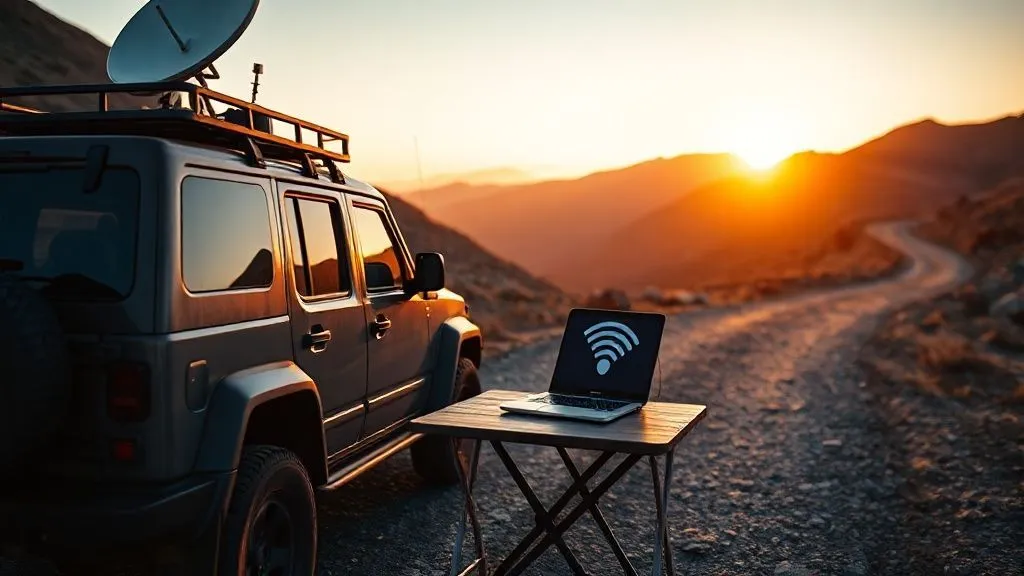
For over two decades navigating the wild frontiers and hidden gems of North America in various rigs, I've seen countless aspiring digital nomads hit a brick wall: power. The dream of working remotely from a serene forest campsite or a stunning desert overlook often crashes when the laptop battery dies, and there's no outlet in sight. It's a frustrating, productivity-killing scenario I've personally experienced and helped dozens of fellow travelers overcome.
The core problem isn't just a lack of electricity; it's the unpredictability and the sheer complexity of building a reliable, self-sufficient power ecosystem in a mobile environment. You're trying to run high-drain devices like laptops, monitors, and Starlink dishes, all while being miles from the grid, often for days on end. This challenge can transform a liberating adventure into a stressful scramble for watts.
But what if I told you that with the right knowledge and a strategic approach, you can create an incredibly robust power system that keeps your remote work setup humming, no matter how far off the beaten path you venture? In this definitive guide, I'll share my hard-won expertise, breaking down actionable frameworks, real-world case studies, and expert insights to ensure you always have the power you need to thrive as a car camping digital nomad.
Understanding Your Power Needs: A Foundational Step
Before you even think about buying gear, the absolute first step is to accurately assess your power requirements. This is where most people go wrong, either overspending on overkill systems or, more commonly, underestimating their needs and constantly running out of juice. As an experienced specialist, I've seen this mistake derail more trips than any other.
Think of your car camping setup as a miniature off-grid home. Every device consumes power, and your goal is to generate and store enough to cover that consumption. This isn't just about plugging things in; it's about understanding the energy flow. Without this foundational understanding, you're essentially guessing, and guessing rarely leads to reliability when it comes to electricity.
Calculating Your Daily Watt-Hours
To truly understand your needs, you need to calculate your total daily watt-hours (Wh). This is the sum of all the power your devices consume over a 24-hour period. Here's how to do it:
- List All Devices: Identify every electronic device you'll use for work (laptop, monitor, phone, hotspot, camera charger, lights, fan, Starlink, etc.).
- Find Wattage: For each device, locate its wattage (W). This is usually printed on the power adapter or device itself. If it's only listed in Amps (A) and Volts (V), multiply A x V = W.
- Estimate Usage Time: Estimate how many hours per day (h) each device will be actively used or charged. Be realistic; laptops might be 'on' for 8 hours but only actively drawing peak power for 4-5.
- Calculate Daily Wh: Multiply Wattage (W) x Usage Time (h) for each device. Sum these up to get your total daily Wh.
Expert Insight: Always add a 20-30% buffer to your total daily watt-hour calculation. Unexpected device usage, colder temperatures impacting battery efficiency, or less-than-ideal solar conditions can quickly deplete your reserves. It's always better to have more capacity than you think you need.
For example, a typical remote work setup might look like this:
| Device | Usage (hours) | Daily Wh |
|---|---|---|
| Laptop (65W) | 6 | 390 |
| Monitor (15W) | 8 | 120 |
| Starlink (50W) | 8 | 400 |
| Phone Charging (10W) | 2 | 20 |
| Camera Battery Charger (10W) | 1 | 10 |
| LED Lights (5W) | 3 | 15 |
| Total Daily Watt-Hours | - | 955 Wh |
Based on this, you'd be looking for a system that can reliably deliver around 955 Wh per day, plus that 20-30% buffer, bringing you closer to 1150-1250 Wh daily. This precise calculation sets the stage for everything else.
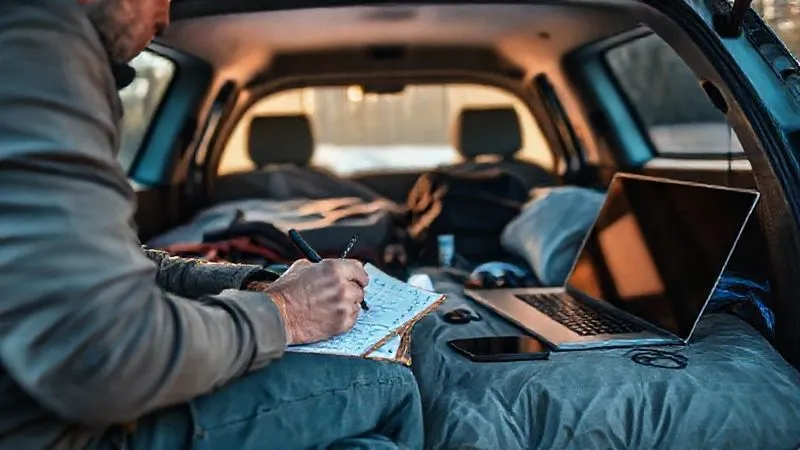
The Heart of Your System: Portable Power Stations (PPS)
Once you understand your daily power consumption, the next logical step is to choose the central battery unit that will store and deliver that power. In my extensive travels, I've found that modern Portable Power Stations (PPS), also known as 'solar generators,' are the undeniable champions for car camping remote work. They've revolutionized off-grid power, offering a compact, all-in-one solution that traditional deep-cycle batteries and inverters simply can't match for convenience and safety.
A PPS integrates a lithium-ion battery (usually LiFePO4 for longevity and safety), an inverter, a charge controller, and multiple output ports (AC, DC, USB-A, USB-C) into a single, portable unit. This eliminates the need for complex wiring and separate components, making it incredibly user-friendly even for those new to off-grid power.
Choosing the Right Capacity and Features
Your PPS capacity, measured in Watt-hours (Wh), should be at least 2-3 times your calculated daily power consumption, especially if you anticipate cloudy days or want a buffer for extended stays. So, if your daily need is 1000 Wh, aim for a PPS of 2000-3000 Wh.
- Capacity (Wh): This is the most crucial factor. Don't skimp here. A larger capacity means more buffer and less anxiety.
- Output Ports: Ensure it has enough AC outlets for your laptop/monitor, high-wattage USB-C PD for fast charging, and 12V DC for accessories.
- Inverter Type: Always opt for a pure sine wave inverter. This is critical for sensitive electronics like laptops, as it produces clean, stable electricity, unlike modified sine wave inverters that can damage devices over time.
- Charging Speed: Look for fast AC wall charging, robust solar input capabilities, and ideally, DC input for vehicle charging.
- Battery Chemistry: LiFePO4 (Lithium Iron Phosphate) batteries offer significantly longer lifespans (3000+ cycles vs. 500-1000 for NMC/NCA) and enhanced safety, though they might have a higher upfront cost.
Case Study: Sarah's Seamless Desert Office
Sarah, a graphic designer, initially struggled to power her MacBook Pro and external monitor during her car camping trips through the Southwest. She started with a small 500Wh PPS and quickly realized it wasn't enough for her 8-hour workdays, especially with her Starlink dish. After consulting with me, she upgraded to a 2000Wh LiFePO4 PPS with a 2000W pure sine wave inverter. This allowed her to comfortably run her entire setup for over a day, even without solar. With the added solar, she achieved true energy independence, completing client projects from remote canyons with a consistent, reliable power supply. The peace of mind alone was worth the investment.
Harnessing the Sun: Solar Panel Integration for Continuous Charge
While your PPS provides the storage, solar panels are your primary means of replenishing that energy when you're off-grid. Relying solely on your vehicle's alternator or AC charging points is unsustainable for extended car camping. Solar power is the ultimate enabler of true remote work freedom, allowing you to stay in one incredible spot for days or even weeks without moving.
Integrating solar effectively isn't just about throwing a panel on your roof; it requires understanding efficiency, placement, and the limitations of the technology. As a veteran road-tripper, I've seen setups ranging from tiny, decorative panels to elaborate multi-panel arrays, and the key is always matching the solar input to your consumption and environment.
Types of Solar Panels for Car Camping
- Rigid Panels: Most efficient and durable, ideal for permanent roof mounts on vans or larger SUVs. They offer the best bang for your buck in terms of wattage per square foot.
- Flexible Panels: Lighter and can conform to curved surfaces, but generally less efficient and durable than rigid panels. Good for stealth setups or lighter vehicles.
- Portable/Foldable Panels: Excellent for car camping, especially if you don't want a permanent roof mount. They can be set up in direct sunlight away from your vehicle and easily stored. This is often my preferred choice for versatility.
Optimizing Solar Harvest: Placement and Angle
The wattage rating of a solar panel is a theoretical maximum under ideal conditions (STC - Standard Test Conditions), which you'll rarely encounter in the real world. To maximize your harvest:
- Angle Towards the Sun: The optimal angle is perpendicular to the sun's rays. Portable panels allow you to adjust this throughout the day, significantly increasing output.
- Avoid Shade: Even partial shading on a single cell can drastically reduce the output of an entire panel or array. Park strategically, or move your portable panels frequently.
- Cleanliness: Keep your panels free of dust, dirt, leaves, and bird droppings. A quick wipe-down can restore lost efficiency.
- System Sizing: Aim for solar input that can ideally recharge your daily consumption in 4-6 hours of peak sun. If you consume 1000 Wh/day, and expect 5 peak sun hours, you'd need ~200W of solar (1000Wh / 5h = 200W).
Remember, solar is a dynamic power source. Its output fluctuates with cloud cover, time of day, and season. A well-designed system accounts for these variables, ensuring your PPS remains topped up. For most remote workers, a 200-400W portable solar array is a fantastic starting point when paired with a sufficiently sized PPS.
The Vehicle's Role: DC-DC Charging and Alternator Power
Your vehicle's alternator is a powerful generator, and it's a critical component in a truly reliable car camping power setup. While solar is excellent for stationary charging, your alternator can quickly top up your PPS while you're driving between locations, acting as a crucial backup and primary charging source on cloudy days or when you need a quick boost. This synergy between solar and vehicle charging creates a robust, redundant system.
However, simply plugging a PPS into your car's 12V cigarette lighter outlet is often inefficient and can drain your starter battery. This is where dedicated DC-DC chargers come into play, a piece of equipment I consider indispensable for serious car camping remote workers.
Smart Isolators vs. DC-DC Chargers
- Smart Isolators: These devices connect your auxiliary (house) battery to your starter battery, allowing the alternator to charge both. They disconnect when the engine is off to prevent draining the starter battery. Simple and effective for basic auxiliary battery setups.
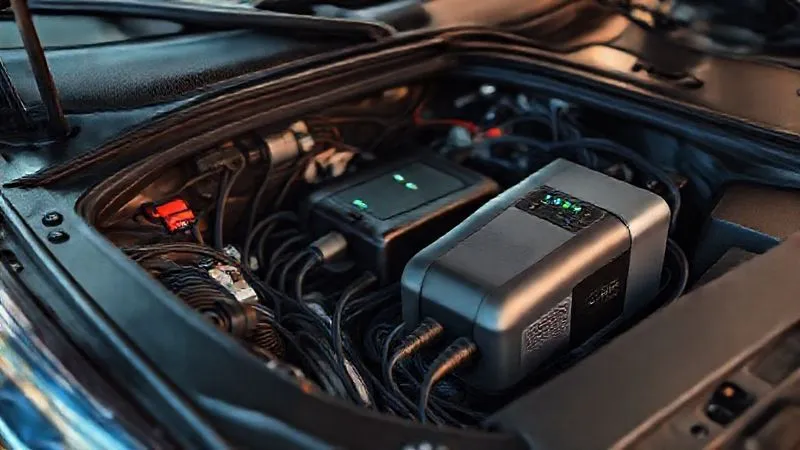
- DC-DC Chargers: These are far superior for charging a PPS or a dedicated house battery from your alternator. They actively regulate the voltage and current, ensuring optimal charging for your PPS's battery chemistry (e.g., LiFePO4). Many modern DC-DC chargers also offer multi-stage charging, over-voltage protection, and can even act as solar charge controllers, simplifying your system. They provide a much faster and safer charge than a simple cigarette lighter adapter. Many high-end PPS units now have dedicated DC input ports designed for these chargers.
I always recommend a high-quality DC-DC charger for any serious car camping setup. It protects your vehicle's electrical system, maximizes charging efficiency, and extends the life of your PPS battery. For example, a 30A DC-DC charger can replenish a 1000Wh PPS in roughly 3-4 hours of driving, a significant boost compared to slow solar on a cloudy day.
Pro-Tip: Monitoring Your Vehicle Battery Health
While charging from your alternator is fantastic, always be mindful of your vehicle's starter battery. A dead starter battery in a remote location is a nightmare. Use a battery monitor (many DC-DC chargers include this function) to keep an eye on its voltage. Never let your starter battery drop below 12.4V for extended periods, especially when using a basic cigarette lighter adapter to charge devices.
Backup and Redundancy: Never Be Without Power
Even with a robust PPS, ample solar, and vehicle charging, an experienced industry specialist like myself will tell you that redundancy is king when it comes to power in remote environments. Components can fail, weather can turn unexpectedly, or you might simply miscalculate your consumption. Having a 'Plan B' (and even a 'Plan C') isn't paranoia; it's smart preparation that ensures you can always meet your deadlines.
Think of it as an insurance policy for your productivity. The goal isn't just to have power most of the time, but to reliably power remote work setup during car camping every single time you need it.
Portable Jump Starters and Small Power Banks
- Portable Jump Starters: Many modern jump starters come with USB-A and USB-C outputs, often with impressive capacities. While their primary function is to jump-start your vehicle, they can also serve as emergency power banks for phones, tablets, or even a small laptop in a pinch. They're a dual-purpose lifeline.
- Dedicated Power Banks: Small, high-capacity power banks (20,000mAh+) are essential for charging smaller devices like phones, headlamps, and hotspots. Keep one or two fully charged at all times. They're lightweight, easily portable, and can be charged from your main PPS.
The Power of a Plan B: Public Charging & Cafes
Despite all your carefully laid plans, there might be times when you need external power. Knowing your options for public charging is a crucial backup strategy:
- Libraries: Often have free Wi-Fi and plenty of outlets.
- Coffee Shops/Cafes: A classic digital nomad haunt, offering power and internet for the cost of a coffee.
- RV Parks: Many offer 'day use' or allow you to pay for a few hours at an electric hookup site, even if you don't stay overnight.
- Visitor Centers/Rest Stops: Some modern facilities have charging stations.
Always have a mental map (or a marked map app) of potential charging points along your route or within a reasonable drive from your campsite. This proactive approach significantly reduces stress when unforeseen power issues arise.
Efficient Device Management: Reducing Your Power Footprint
The most powerful and sustainable watt is the one you don't use. While investing in a robust power system is crucial, equally important is adopting habits that minimize your power consumption. This extends your battery life, reduces your reliance on charging, and ultimately makes your car camping remote work setup far more reliable. As I often tell new digital nomads, efficiency is your silent partner in energy independence.
It's not just about turning things off; it's about optimizing how your devices run, ensuring they're not drawing unnecessary power. Every watt-hour saved is a watt-hour you don't have to generate or store.
Laptop Power Settings and Low-Power Peripherals
Your laptop is likely your biggest power consumer. Optimizing its settings can yield significant savings:
- Screen Brightness: Reduce screen brightness to the lowest comfortable level. This is often the single biggest power saver for laptops.
- Power Saving Modes: Utilize your operating system's power-saving modes. These often reduce CPU speed, dim the screen, and manage background processes.
- Close Unused Apps: Many applications run in the background, consuming CPU cycles and power. Close anything you're not actively using.
- External Monitor: If you use an external monitor, consider a low-power USB-C powered monitor instead of a traditional AC-powered one. These draw significantly less power.
- External Drive Efficiency: If using external hard drives, opt for SSDs (Solid State Drives) over traditional HDDs (Hard Disk Drives), as SSDs consume less power.
Optimizing Your Workspace for Minimal Drain
- Headphones: Use wired headphones instead of Bluetooth ones, or opt for low-power Bluetooth models.
- Lighting: Invest in efficient LED lighting for your interior. Many are USB-powered and draw minimal watts.
- Cooling/Heating: Instead of power-hungry electric fans or heaters, prioritize natural ventilation, insulated clothing, and a good sleeping bag. If absolutely necessary, small USB fans are very efficient.
- Offline Work: Download files, maps, and content for offline use whenever possible. This reduces reliance on power-hungry cellular hotspots or Starlink.
Expert Insight: A little discipline goes a long way. Make it a habit to constantly monitor your power usage and look for small efficiencies. These incremental savings compound over time, dramatically extending your off-grid capabilities. It’s the difference between a system that barely makes it and one that provides true peace of mind.
Advanced Power Management: Inverters and Distribution
While modern Portable Power Stations simplify much of the power distribution, understanding the role of an inverter and how to efficiently distribute power within your setup is still crucial for optimizing performance and safety. As an expert, I've seen setups fail due to improper inverter use or haphazard power distribution. This section delves into the nuances that elevate your system from functional to truly professional and resilient.
Efficient distribution ensures that power gets from your PPS to your devices with minimal loss and maximum safety. It's about creating a streamlined electrical ecosystem within your vehicle.
Pure Sine Wave Inverters: Why They Matter
I cannot stress this enough: always use a pure sine wave inverter. While your PPS likely has one built-in, if you're building a custom system with separate batteries, this choice is paramount. Here's why:
- Clean Power: Pure sine wave inverters produce AC power that is identical to what you get from a wall outlet at home. This is essential for sensitive electronics like laptops, cameras, medical devices, and even some power tools.
- Device Longevity: Modified sine wave inverters, while cheaper, produce a 'choppy' waveform that can cause devices to run hotter, make buzzing noises, and ultimately shorten their lifespan. They can also damage sensitive electronics.
- Efficiency: Pure sine wave inverters are generally more efficient, especially under varying loads.
If your PPS has an AC output, it almost certainly uses a pure sine wave inverter. But if you're using a separate inverter connected directly to a vehicle's battery, ensure it's pure sine wave. Don't compromise on this, especially for expensive work equipment.
Smart Power Strips and USB Hubs
To distribute power from your PPS efficiently:
- Smart Power Strips: Use a high-quality, surge-protected power strip with multiple AC outlets. Some even have integrated USB ports. This allows you to power multiple AC devices from a single PPS outlet.
- Powered USB Hubs: For multiple USB devices (phone, tablet, camera, lights), a powered USB-C hub can be invaluable. It consolidates charging and data transfer, reducing the number of cables and direct PPS port usage. Look for hubs with Power Delivery (PD) capabilities for fast charging.
- 12V DC Accessories: Whenever possible, use devices that run directly on 12V DC power (like many car fridges, fans, or some LED lights) instead of converting to AC via the inverter. Each conversion step (DC to AC, then AC back to DC for your laptop charger) results in some energy loss. Direct DC usage is more efficient.
According to a study published by Nature Energy, optimizing energy conversion and minimizing idle power consumption are critical for improving overall system efficiency in off-grid applications. By choosing pure sine wave inverters and prioritizing direct DC power when feasible, you're building a more robust and energy-conscious system.
Safety First: Protecting Your Gear and Yourself
The exhilaration of working remotely from a stunning car camping spot should never overshadow the importance of safety. Dealing with electricity, especially in a mobile and potentially damp environment, carries inherent risks. As someone who has spent years perfecting these setups, I can't emphasize enough that prioritizing safety protects not just your expensive gear, but also your health and well-being. A reliable power system is a safe power system.
Ignoring safety protocols can lead to damaged equipment, electrical fires, or even personal injury. Don't let a preventable accident ruin your trip or your ability to work.
Overload Protection and Ventilation
- Understand Your Limits: Every PPS and inverter has a maximum continuous wattage output and a surge rating. Do not exceed these limits. Overloading can trip internal breakers, or worse, damage the unit. If you need to run a high-draw appliance (like a coffee maker) for a short time, ensure your inverter can handle the surge.
- Fuses and Circuit Breakers: Ensure your entire system is protected by appropriate fuses or circuit breakers. Good PPS units have these built-in, but if you're adding external components (like a DC-DC charger or a custom auxiliary battery setup), install fuses on all positive lines.
- Ventilation: Inverters and PPS units generate heat, especially under heavy loads. Ensure they have adequate airflow and are not covered or placed in confined spaces where heat can build up. Overheating can lead to reduced efficiency, premature failure, and fire hazards.
Weatherproofing Your Setup
Car camping means exposure to the elements. Your power system needs to be protected:
- Water Resistance: While many PPS units are rugged, few are truly waterproof. Keep your PPS and sensitive electronics protected from rain, dew, and condensation. Use waterproof bags, cases, or keep them inside the vehicle.
- Dust and Dirt: Fine dust can ingress into electronics, causing damage. Keep your equipment clean and covered when not in use.
- Temperature Extremes: Lithium batteries perform best within a certain temperature range (typically 0°C to 45°C for charging, -20°C to 60°C for discharge). Avoid exposing your PPS to extreme cold (which can prevent charging) or extreme heat (which can degrade battery life and pose a fire risk). Keep them in a shaded, well-ventilated area.
- Cable Management: Secure all cables to prevent tripping hazards, snagging, or damage. Use cable ties and routes that keep them out of the way and protected from wear and tear.
A well-maintained and protected power system is a reliable power system. A commitment to safety is a commitment to uninterrupted remote work and a worry-free car camping experience. Resources like NFPA (National Fire Protection Association) offer general electrical safety guidelines that, while not specific to car camping, underscore the universal importance of proper electrical practices.
Frequently Asked Questions (FAQ)
Q: Can I just use my car battery to power my laptop? A: While technically possible with a small inverter plugged into your cigarette lighter, I strongly advise against it for anything more than very brief, emergency charging. Your car's starter battery is designed for short, high-current bursts (like starting the engine), not for deep cycling or powering continuous loads. Doing so will quickly drain it, leaving you stranded, and can damage the battery over time. Always use a dedicated auxiliary battery or a Portable Power Station for sustained power.
Q: How much solar wattage do I really need? A: This depends entirely on your daily consumption and the amount of peak sun hours you expect. As a rule of thumb, aim for enough solar wattage to recharge your daily Wh consumption in 4-6 hours of good sunlight. For example, if you consume 1000 Wh/day, you'd want 200-250W of solar (1000 Wh / 5 hours = 200W). Always factor in potential inefficiencies and cloudy days by adding a buffer.
Q: Is Starlink worth the power draw for remote work while car camping? A: For many, yes, absolutely. Starlink provides unparalleled internet access in remote locations where traditional cellular service is non-existent. While its power draw (typically 40-75W) is significant, the ability to reliably connect for video calls and large file transfers often outweighs the power cost. You'll need a robust PPS and solar setup to support it, but for truly remote work, it's a game-changer. Consider a DC-DC converter for Starlink to run it directly from 12V, bypassing the inverter for efficiency.
Q: What's the biggest mistake people make with car camping power? A: The single biggest mistake I've observed is underestimating daily power needs, followed closely by not having enough charging redundancy. People often buy a PPS that's too small, or they rely solely on solar without a vehicle charging backup. This leads to constant anxiety about power levels and limits their ability to stay off-grid for extended periods. Proper planning and a layered approach to charging are key.
Q: How can I protect my electronics from voltage fluctuations? A: Using a high-quality pure sine wave inverter (which is standard in good PPS units) is your primary defense. Additionally, surge protectors (often built into good power strips) can offer an extra layer of protection against spikes. Avoid cheap, unbranded power accessories, as they often lack proper regulation and protection.
Key Takeaways and Final Thoughts
Achieving truly reliable power for your remote work setup during car camping is not a pipe dream; it's a meticulously planned and executed strategy. Having spent years refining these systems and helping others do the same, I've distilled the essence of energy independence into these core principles:
- Know Your Needs: Accurately calculate your daily watt-hour consumption to size your system correctly.
- Invest in a Quality PPS: A high-capacity, LiFePO4, pure sine wave Portable Power Station is the backbone of your system.
- Embrace Solar: Integrate sufficient solar panels to replenish your PPS, enabling extended off-grid stays.
- Leverage Vehicle Charging: Utilize DC-DC chargers for efficient and safe charging from your alternator while driving.
- Build Redundancy: Incorporate backup power banks and know your public charging options.
- Practice Efficiency: Optimize device settings and choose low-power peripherals to minimize consumption.
- Prioritize Safety: Ensure proper ventilation, overload protection, and weatherproofing for all components.
The freedom that comes with knowing you can reliably power remote work setup during car camping is transformative. It opens up a world of possibilities, allowing you to chase sunsets, explore hidden trails, and connect with nature, all while maintaining your professional commitments. This isn't just about having electricity; it's about empowering your lifestyle. Take these steps, build your robust system, and embrace the ultimate remote work adventure with confidence and an always-charged laptop. The open road, and your productive future, await!
Recommended Reading
- 7 Ways to Maximize Urban Park Visits on Short City Breaks
- 7 Pro Methods: Capture Razor-Sharp Train Motion in Low Light?
- CFO Buy-In: 7 Ways to Justify Higher Sustainable Train Travel Costs
- Beat Jet Lag: 7 Pro Strategies for Elite Snowboard Performance
- Conquer Your Fears: Solo Dining Tips for Shy Travelers Revealed


Your email address will not be published. Required fields are marked *