

How to Ensure Reliable High-Speed Internet on a Transatlantic Cruise?
For over 15 years in the cruise travel industry, I've witnessed firsthand the evolution of onboard connectivity. From dial-up-esque speeds to the promise of Starlink, the desire to stay connected, even in the middle of the Atlantic, has never been stronger. Yet, despite technological advancements, the reality for many cruisers remains a frustrating battle against slow speeds, dropped connections, and exorbitant costs.
The pain point is palpable: you're sailing across an ocean, perhaps needing to check in with work, share breathtaking photos with loved ones, or simply stream your favorite show. The expectation of seamless connectivity, so common on land, often collides with the harsh realities of maritime satellite internet, leaving passengers feeling isolated and disconnected.
This comprehensive guide isn't just a collection of facts; it's a distillation of my experience and expert insights. We'll dive deep into practical strategies, cutting-edge technology, and crucial pre-cruise planning tips. By the end, you'll have an actionable framework to significantly improve your chances of enjoying reliable, high-speed internet on your next transatlantic cruise.
Understanding the Transatlantic Internet Challenge: Why It's Different
Before we discuss solutions, it's vital to grasp the unique complexities of internet connectivity at sea, especially during a transatlantic crossing. This isn't your home fiber optic connection; it's a completely different beast.
The Physics of Satellite Internet at Sea
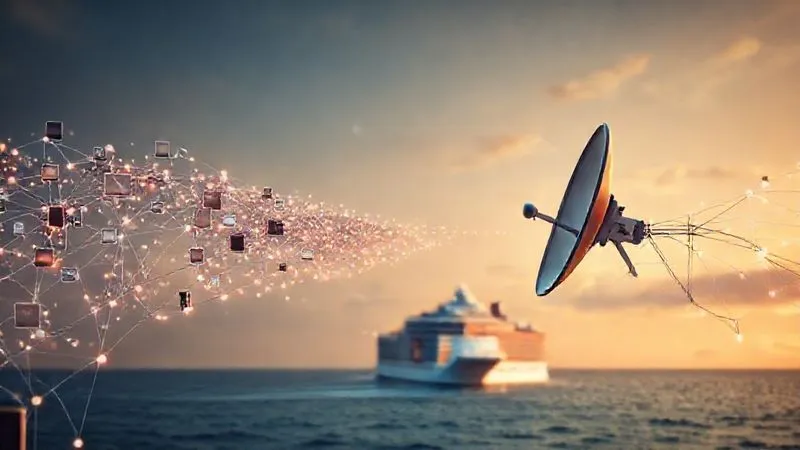
Traditional cruise internet relies on geostationary satellites orbiting approximately 22,000 miles above the Earth. This immense distance introduces significant latency – the delay in data transmission. Imagine shouting across a canyon and waiting for an echo; that's a simplified version of latency. Furthermore, these satellites have a limited line of sight, meaning as the ship moves, it constantly needs to switch between satellites or adjust its antenna's aim. This constant re-calibration can lead to intermittent service.
The 'Bottleneck' Effect: High Demand, Limited Supply
Even with a strong signal, bandwidth is a finite resource. A single cruise ship might have thousands of passengers, each with multiple devices, all vying for a slice of the same internet pie. When hundreds of people are trying to stream videos, upload photos, or conduct video calls simultaneously, the available bandwidth becomes a severe bottleneck. This high demand, coupled with the limited supply from satellite links, inevitably leads to a significant slowdown, especially during peak usage hours.
Pre-Cruise Planning: Your First Line of Defense
The battle for reliable internet often begins long before you step foot on the ship. Strategic planning can make a world of difference.
Researching Cruise Line Offerings and Packages
Not all cruise internet is created equal. Cruise lines offer various packages, from basic social media plans to premium 'stream and surf' options. It's crucial to understand what each package entails. Look for details on:
- Dedicated vs. Shared Bandwidth: Some premium packages might offer more dedicated bandwidth.
- Speed Guarantees: While rare, some might provide estimated speeds.
- Data Caps: Unlimited plans are often throttled after a certain usage, so read the fine print.
- Number of Devices: How many devices can you connect simultaneously?
In my experience, investing in the highest tier internet package available, especially for a transatlantic journey, is usually a wise decision if connectivity is paramount. Don't skimp here if you truly need to stay connected.
| Cruise Line | Package Name | Estimated Speed | Usage | Price (7-Day) | Notes |
|---|---|---|---|---|---|
| Oceanic Voyages | Connect Basic | Up to 1 Mbps | Social Media, Email | $99 | Throttled after 1GB/day |
| Oceanic Voyages | Stream & Surf | Up to 5 Mbps | Web Browsing, SD Streaming | $179 | Optimized for 2 devices |
| Oceanic Voyages | Premium Plus (Starlink) | 20-100 Mbps | HD Streaming, Video Calls | $299 | Variable, Starlink-enabled ships only |
| Grand Seaways | Voyage Essential | Up to 0.5 Mbps | Messaging only | $75 | Very limited |
| Grand Seaways | Explorer Max | Up to 3 Mbps | General Browsing | $150 | No video calls |
Reading Reviews and Forums: Real-World Insights
Online cruise forums (like Cruise Critic) and recent passenger reviews are invaluable. Search specifically for feedback on internet performance on your chosen ship and itinerary, particularly transatlantic routes. Look for comments from passengers who needed reliable connectivity for work or extensive communication. They often share practical tips or warnings about specific ships' performance. Remember, internet quality can vary even within the same cruise line, depending on the ship's age and recent tech upgrades.
Onboard Strategies for Optimizing Your Connection
Once you're on the ship, there are still several proactive steps you can take to maximize your internet experience.
Choosing the Right Time and Location
Internet usage patterns on a cruise ship mirror those on land. Peak hours are typically mornings (when people check emails), late afternoons (after excursions), and evenings (streaming and social media). Try to use the internet during off-peak hours, such as:
- Very early morning (before 7 AM)
- Late at night (after 11 PM)
- During dinner service
- When the ship is docked in port (if the port offers better, cheaper Wi-Fi)
Also, consider your physical location on the ship. Designated internet cafes or lounges often have stronger, more direct access points than your cabin, especially if your cabin is far from a Wi-Fi repeater. Try different areas to see where you get the best signal strength.
Device Management: Less is More
Every device connected to the ship's Wi-Fi consumes bandwidth. If you're struggling with speed, disconnect any devices you're not actively using. Furthermore, ensure background apps on your connected devices are not consuming data. Apps like cloud synchronization services (Dropbox, Google Drive), automatic updates, and even email clients can silently chew through your limited bandwidth. Turn off automatic updates for apps and your operating system before you sail. Close all unnecessary tabs and applications.

Leveraging Technology and Tools for Better Performance
Beyond basic management, certain software tools can help eke out better performance from a sluggish connection.
VPNs: Friend or Foe?
A Virtual Private Network (VPN) encrypts your internet traffic, enhancing privacy and security. While crucial for public Wi-Fi safety, a VPN can sometimes *slow down* your connection due to the encryption overhead and the extra routing to a VPN server. If you're primarily concerned with speed, try connecting without the VPN first. If security is your top priority, choose a VPN provider with servers physically closer to your cruise itinerary's general region, if possible, to minimize latency. Forbes Advisor offers a good primer on VPNs.
Data Compression Apps and Browser Extensions
Some browsers (like Opera) and extensions offer built-in data compression features. These tools reduce the size of web pages, images, and videos before they reach your device, thereby speeding up loading times and conserving bandwidth. While not a magic bullet, they can make a noticeable difference for general browsing and email.
Offline Preparation: The Smart Traveler's Hack
This is arguably the most effective strategy for transatlantic cruises. Anticipate your internet needs and prepare accordingly:
- Download Entertainment: Before you leave home, download movies, TV shows, podcasts, and music from streaming services (Netflix, Spotify, etc.) onto your devices.
- Offline Documents: Sync any work documents, e-books, or articles you might need to offline storage.
- Email Management: Draft emails offline and save them. Connect briefly to send and receive, then disconnect to compose replies.
- Maps and Guides: Download offline maps of your ports of call.
"The most reliable internet connection at sea is the one you don't need." - An experienced cruise expert (me!)
The Starlink Factor: A Game-Changer for Cruise Connectivity?
If you're wondering how to ensure reliable high-speed internet on a transatlantic cruise, Starlink is increasingly becoming the answer. This is where the industry is heading, and for good reason.
How Starlink Works and Its Advantages
Unlike traditional geostationary satellites, Starlink utilizes a constellation of thousands of low Earth orbit (LEO) satellites. These satellites orbit much closer to Earth (around 340 miles), dramatically reducing latency and increasing potential bandwidth. This proximity means faster response times and the ability to handle significantly more data traffic. The result is an internet experience that can be remarkably similar to what you'd find on land, offering speeds capable of HD streaming, video calls, and online gaming.
Current Rollout and Future Prospects
Major cruise lines like Royal Caribbean, Celebrity Cruises, Norwegian Cruise Line, and Princess Cruises have been rapidly rolling out Starlink across their fleets. For a transatlantic crossing, choosing a Starlink-enabled ship can be the single most impactful decision for ensuring high-speed internet. Before booking, specifically check if your chosen ship and sailing date are equipped with Starlink. This information is usually available on the cruise line's website or by contacting their customer service. The future of cruise internet is undeniably LEO satellite technology, and Starlink is leading the charge. CNET provides a good overview of Starlink's impact on cruising.

Case Study: Sarah's Transatlantic Digital Nomad Challenge
Case Study: Sarah's Transatlantic Digital Nomad Challenge
Sarah, a freelance graphic designer, booked a 14-day transatlantic cruise from Barcelona to Miami. Her challenge: maintain client communication and upload large design files throughout the journey. Knowing the notorious reputation of cruise internet, she meticulously planned. First, she researched and booked a Royal Caribbean ship explicitly advertised as 'Starlink-enabled' for her sailing. She purchased the highest-tier 'VOOM Surf & Stream' package, which leveraged Starlink. Days before departure, she downloaded all non-urgent assets and client briefs to work on offline. Onboard, she scheduled her uploads for early mornings and late nights, when bandwidth was less contested. Crucially, she used a data compression browser extension and kept only her work laptop connected. While not always perfectly flawless, Sarah reported achieving 90% of her work goals, successfully participating in video calls, and uploading design files, a feat previously unimaginable on such a voyage. This resulted in her maintaining client satisfaction and enjoying her cruise without professional anxieties.
Beyond Speed: Ensuring Security and Privacy
While chasing high speeds, don't overlook the critical aspects of security and privacy on public Wi-Fi networks.
Public Wi-Fi Risks and Protections
Any public Wi-Fi network, including those on cruise ships, poses inherent security risks. Malicious actors can potentially intercept your data. Always assume the network is not secure. Here's how to protect yourself:
- Use a VPN: As mentioned, a VPN encrypts your data, making it unreadable to snoopers. This is particularly important for sensitive activities like online banking or shopping.
- Strong Passwords: Ensure all your online accounts use strong, unique passwords.
- Avoid Sensitive Transactions: If possible, defer online banking, shopping with credit cards, or accessing highly sensitive personal information until you are on a secure, private network.
- Keep Software Updated: Ensure your operating system and all applications are up to date, as updates often include security patches.
The FTC provides excellent advice on protecting your privacy online.
Cruise Line Privacy Policies
Familiarize yourself with your cruise line's privacy policy regarding internet usage. They often collect data on your browsing habits, which websites you visit, and the amount of data you consume. While this is typically for service improvement and marketing, it's good to be aware of what information you're sharing. Using a reputable VPN can help obscure some of this data from the cruise line's internal monitoring.
Common Pitfalls and How to Avoid Them
Even with the best planning, some common mistakes can derail your internet experience. Avoid these:
- Expecting Home-Level Speeds: Even with Starlink, you're still on a moving vessel in the middle of an ocean. Manage your expectations. It will likely be better than traditional satellite, but maybe not your gigabit home fiber.
- Not Planning Ahead: Failing to research internet options, download offline content, or adjust device settings before boarding is a recipe for frustration.
- Ignoring Ship Announcements: Cruise lines sometimes announce specific times for internet maintenance or upgrades. Pay attention to these.
- Overloading the Connection: Trying to stream 4K video while simultaneously uploading large files and having multiple devices connected will almost always lead to disappointment, even with premium packages.
- Forgetting Time Zones: On a transatlantic cruise, time zones change frequently. Be mindful of this when planning your 'off-peak' usage hours.

Frequently Asked Questions (FAQ)
Is Starlink always available on cruises now? No, not all cruise ships or itineraries have Starlink yet. While many major cruise lines are rapidly implementing it, it's crucial to verify specifically for your chosen ship and sailing date. Always check the cruise line's official website or contact their customer service for the most up-to-date information regarding Starlink availability.
Can I stream Netflix/YouTube reliably on a transatlantic cruise? With traditional satellite internet, reliable HD streaming is highly unlikely due to latency and limited bandwidth. However, on Starlink-enabled ships with a premium package, you can often stream in standard or even high definition, though occasional buffering might still occur, especially during peak usage times. Downloading content beforehand remains the most reliable option.
Are there free Wi-Fi options on transatlantic cruises? Generally, free Wi-Fi on transatlantic cruises is very limited, if available at all. Some cruise lines might offer a very basic, free messaging-only plan for their proprietary app, but full internet access almost always requires purchasing a package. Don't rely on free options for anything beyond basic text communication.
What's the best internet package for remote work on a transatlantic cruise? For remote work, you absolutely need the highest-tier, premium internet package available, ideally on a Starlink-enabled ship. These packages offer the most bandwidth and speed. Supplement this with extensive offline preparation, planning your work around off-peak hours, and optimizing your device usage. Consider a backup plan, like a satellite phone for emergencies, if your work is mission-critical.
Does weather affect cruise internet speed? Yes, weather can significantly impact satellite internet performance. Heavy clouds, rain, or stormy seas can interfere with the satellite signal, leading to slower speeds or even temporary outages. While Starlink is less susceptible to some atmospheric interferences than traditional geostationary systems, extreme weather can still cause disruptions.
Key Takeaways and Final Thoughts
Navigating the complexities of internet connectivity on a transatlantic cruise doesn't have to be a source of constant frustration. By adopting a proactive and informed approach, you can significantly enhance your onboard digital experience.
- Research is paramount: Understand your cruise line's offerings and check for Starlink availability.
- Invest wisely: Opt for premium packages if connectivity is critical.
- Optimize onboard: Manage your devices, use off-peak hours, and choose optimal locations.
- Prepare offline: Download content and work materials before you sail.
- Prioritize security: Use a VPN and practice safe browsing habits.
The vastness of the ocean is part of the allure of a transatlantic voyage, but it doesn't mean you have to be completely cut off. With the right strategies and a realistic understanding of the technology, you can successfully bridge the digital divide, staying connected when it matters most, and truly enjoying your journey across the sea.
Recommended Reading
- Master 7 Strategies: How to Avoid Post-Carnival Productivity Slump at Work
- Stop Scams: Your Ultimate Guide to Preventing Eco Volunteer Travel Scams
- 7 Ways to Prevent 'White Savior' Pitfalls in Short-Term Aid Missions
- 7 Proven Strategies: How to Mitigate International Festival Financial Cancellation Risks?
- Combat Executive Burnout: 7 Steps to Selecting the Perfect Wellness Resort





Your email address will not be published. Required fields are marked *