


How to Ensure Reliable Internet on Transcontinental Train Journeys?
For over two decades, I've crisscrossed continents by rail, from the Trans-Siberian to Amtrak's Empire Builder, and I've witnessed firsthand the evolving, often frustrating, landscape of on-board connectivity. The dream of staying productive or entertained while watching stunning landscapes unfold outside your window is often shattered by a flickering Wi-Fi signal or complete dead zones. It’s a recurring challenge that many seasoned train travelers, myself included, have grappled with.
The allure of transcontinental train journeys lies in their ability to transport you not just physically, but mentally, offering a unique blend of adventure and relaxation. However, in our hyper-connected world, the expectation of continuous internet access often clashes with the reality of vast, remote territories where cellular signals are non-existent. This digital disconnect can turn an otherwise sublime experience into a source of anxiety for those needing to work, stay in touch, or simply stream their favorite shows.
But fear not, fellow rail enthusiasts! Based on my extensive experience and countless miles logged, I've developed a comprehensive set of strategies, technological workarounds, and mindset shifts that can significantly improve your chances of maintaining reliable internet on even the most remote transcontinental train journeys. This isn't about magical fixes, but actionable frameworks, expert insights, and smart preparation that will transform your connectivity challenges into triumphs.
Understanding the Connectivity Challenge on Rails
Before we dive into solutions, it's crucial to understand why internet access on trains can be so erratic. It's not simply a matter of a router on board; the environment itself presents unique obstacles that land-based internet infrastructure doesn't face.
The Root Causes of Signal Drops
Train tracks often traverse areas with minimal population density, meaning fewer cellular towers. As the train hurtles through valleys, tunnels, and remote wilderness, it constantly moves in and out of signal range. The train's metal structure also acts as a Faraday cage, inherently weakening external signals trying to penetrate the carriage.
Furthermore, weather conditions, network congestion from other passengers, and the sheer speed of travel can all contribute to an unstable connection. It’s a dynamic, unpredictable environment that requires a multi-faceted approach to connectivity.
Train-Provided Wi-Fi: What to Expect
Many modern transcontinental trains boast 'on-board Wi-Fi.' While this sounds promising, it's often powered by cellular repeaters or, in rare cases, satellite links. The quality varies dramatically. On some high-speed routes in Europe, it can be quite robust. On long-distance North American routes, it's typically best described as a 'best-effort' service.
Expert Insight: Never assume train-provided Wi-Fi will be sufficient for anything beyond basic email or messaging. Always have a backup plan, especially for bandwidth-intensive tasks or critical communications.
These services are often shared among hundreds of passengers, leading to severe bandwidth limitations. Streaming video or large file downloads are usually out of the question, and even simple web browsing can be painfully slow during peak usage.
Proactive Planning: Your First Line of Defense
The most effective way to ensure reliable internet on transcontinental train journeys isn't always about what you bring, but how you prepare. Preparation is key to mitigating the inevitable connectivity gaps.
Research Your Route and Train Service
Before you even pack your bags, delve into the specifics of your journey. Different train operators and routes offer varying levels of service. A quick search can reveal a wealth of information from previous travelers.
- Check Operator Websites: Look for official statements regarding Wi-Fi availability and limitations.
- Read Travel Forums & Reviews: Websites like Seat61.com or Reddit's r/travelexperiences often have first-hand accounts of Wi-Fi quality on specific routes.
- Study Route Maps: Identify major cities or populated areas where you're likely to have strong cellular signal, and conversely, long stretches of wilderness where it will be absent.
Download Essential Content Offline
This is perhaps the most fundamental and reliable strategy. If you need to work, download documents, emails, and any necessary software updates before you depart. For entertainment, preload movies, TV shows, podcasts, audiobooks, and e-books onto your devices.
Many streaming services offer offline download options, and it's wise to utilize them. This ensures you have access to your most critical content and entertainment, regardless of signal strength.

Consider downloading offline maps for your destinations, as well as digital guides or travel itineraries. These small preparations can save you immense frustration when you’re in a connectivity black hole.
Hardware & Gadgets: Your Personal Connectivity Arsenal
Beyond preparation, specific pieces of technology can significantly boost your ability to maintain an internet connection.
The Power of a Personal Mobile Hotspot
A dedicated mobile hotspot device, or simply using your smartphone's hotspot feature, is often your best bet for personal connectivity. These devices are designed to pick up cellular signals and broadcast them as a Wi-Fi network for your own devices.
- Dedicated Device vs. Smartphone: Dedicated hotspots often have stronger antennas and longer battery life than a smartphone used for tethering.
- Unlocked Devices: An unlocked hotspot allows you to use local SIM cards in different countries, which can be far more cost-effective than international roaming plans.
- Data Plans: Choose a data plan with ample allowance, considering your usage needs. Some providers offer specific 'traveler' or 'international' plans.
Expert Insight: While a mobile hotspot relies on cellular networks, it's generally more efficient and powerful than relying on the train's shared Wi-Fi. It's your personal internet bubble on the go.
Satellite Internet Devices: A Niche Solution
For truly remote transcontinental journeys where cellular service is non-existent for extended periods, satellite internet devices are an option, albeit a more expensive and specialized one. Devices like Starlink's portable dish or Iridium GO! can provide connectivity anywhere with a clear view of the sky.
- Pros: Global coverage, independent of cellular towers.
- Cons: High initial cost, expensive data plans, requires clear line of sight to the sky (can be tricky on a moving train near tunnels or dense forests), bulkier equipment.
These are typically overkill for most travelers but invaluable for those with critical, non-negotiable connectivity needs in extreme wilderness areas.
Signal Boosters and Antennas: Fact vs. Fiction
The market is flooded with 'signal boosters.' For a moving train, most consumer-grade boosters are ineffective. They are designed for stationary use and require an external antenna to be fixed in an optimal position, which isn't feasible on a train.
- What Works: Industrial-grade cellular repeaters, often installed by train operators, can boost signals *within* the train. These are typically integrated systems, not something a passenger can add.
- What Doesn't: Small, plug-and-play USB dongles or 'stick-on' antennas for your phone are largely marketing gimmicks for a moving environment.
Your best bet is to rely on devices with inherently strong cellular radios, like a quality mobile hotspot, rather than trying to externally boost a weak signal on a train.
| Device Type | Pros | Cons | Best Use Case |
|---|---|---|---|
| Smartphone Hotspot | Convenient, multi-purpose, no extra device | Drains phone battery, weaker antenna, shared resources | Short trips, occasional internet needs |
| Dedicated Mobile Hotspot | Stronger antenna, better battery, handles more devices | Extra device to carry, requires separate data plan | Regular internet needs, remote work, longer journeys |
| Satellite Internet Device | Global coverage, independent of cellular | High cost, bulky, expensive data, line-of-sight dependent | Extreme remote areas, critical connectivity, no cellular coverage |
Case Study: Sarah's Seamless European Rail Journey
Sarah, a freelance graphic designer, embarked on a month-long transcontinental rail journey across Europe. She needed reliable internet for client communication and file uploads. Instead of relying on potentially spotty train Wi-Fi, she invested in an unlocked 5G mobile hotspot and a local SIM card with a generous data plan from each country she visited. Before each leg of her journey through less populated areas, she downloaded all necessary client files and entertainment. This strategic combination allowed her to work effectively from her seat, upload proofs during city stops, and enjoy uninterrupted streaming during signal-rich sections. Her proactive approach ensured she never missed a deadline and fully enjoyed the scenic routes without connectivity anxiety.
Optimizing Your Devices for Peak Performance
Even with the best hardware, how you configure and use your devices can make a significant difference in maintaining a stable connection.
Managing Bandwidth-Hungry Apps
Background apps can silently consume precious bandwidth. Before connecting to a potentially slow train Wi-Fi or your mobile hotspot, close any non-essential applications. This includes cloud syncing services (Dropbox, Google Drive), automatic updates for apps and operating systems, and social media apps that constantly refresh.
Consider setting your devices to 'low data mode' or 'metered connection' if available. This often prevents background data usage and prompts you before downloading large files.
Device Settings for Enhanced Connectivity
A few tweaks to your device settings can help prioritize a stable connection.
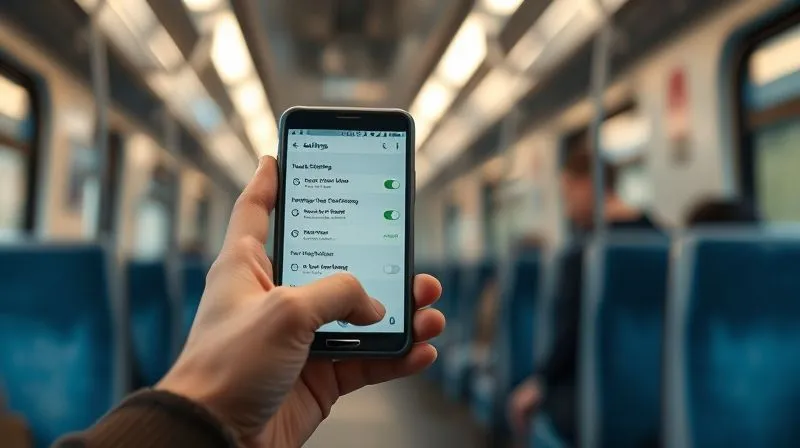
- Disable Wi-Fi Assist/Smart Network Switch: On some smartphones, this feature automatically switches between Wi-Fi and cellular data. While useful in daily life, on a train, it can cause constant, disruptive switching. Disable it to force your device to stick to your preferred, more stable connection source (e.g., your mobile hotspot).
- Turn Off Wi-Fi Scanning: Your phone constantly scans for available Wi-Fi networks. This consumes battery and can sometimes interfere with maintaining a connection to your chosen network. Turn off Wi-Fi if you’re relying solely on cellular data, or disable automatic Wi-Fi scanning in advanced settings.
- Restart Regularly: Just like any computer, a quick restart of your phone or hotspot device can often clear up minor connectivity glitches.
Strategic Seating and Positioning on the Train
Where you sit in the train carriage can actually impact your signal strength, particularly for cellular-based connections.
Near Windows and Away from Obstructions
Cellular signals struggle to penetrate the metal shell of a train. Sitting closer to a window, and ideally on the side of the train facing the direction of travel (or the side with more open landscape), can slightly improve your reception. Avoid being too close to internal walls or large metal objects within the carriage.
Understanding Train Car Layouts
Some train cars, particularly older ones, might have different construction materials that affect signal penetration. Newer trains often have better internal repeaters. If you have the flexibility to move between cars, experiment slightly. Sometimes, simply being in a different part of the train can yield a better, more consistent signal.
Leveraging Local SIM Cards and Roaming Strategies
For international transcontinental journeys, your approach to cellular data needs to be strategic to be both reliable and cost-effective.
The Cost-Benefit of Local SIMs
Purchasing a local SIM card in each country you pass through is often the most economical way to get robust data. This requires an unlocked phone or mobile hotspot. The benefits include:
- Better Rates: Local data rates are almost always cheaper than international roaming.
- Stronger Local Network: You're directly on the local network, potentially getting better speeds and coverage.
- Flexibility: You can choose data plans that suit your specific needs for each region.
The downside is the hassle of acquiring new SIMs and changing them out. However, for long journeys, the savings and improved reliability are well worth it. You can often buy them at airports, train stations, or local convenience stores.
For a comprehensive guide on finding the best local SIM cards for your travel, I often recommend checking resources like Traveltomtom's country-specific SIM card guides, which are regularly updated with the latest information.
International Roaming Plans: A Backup
While often more expensive, your home provider's international roaming plan can serve as a convenient backup, especially for short stops in a new country or if you can't immediately get a local SIM. Be acutely aware of the costs, as data overages can be exorbitant. Some providers offer travel passes that give you a set amount of data for a daily or monthly fee, which can be a good compromise for shorter international legs.
The Art of Disconnecting: When to Embrace the Digital Detox
Even with all the strategies for how to ensure reliable internet on transcontinental train journeys, there will still be periods of limited or no connectivity. Sometimes, the best strategy is to embrace it.
Balancing Connectivity with the Journey Experience
Transcontinental train travel is about the journey itself – the ever-changing landscapes, the unique rhythm of the rails, the chance encounters with fellow passengers, and the quiet introspection. Constantly chasing a signal can detract from this truly unique experience.
Expert Insight: View periods of no internet as an opportunity. Read a physical book, write in a journal, engage in conversation, or simply gaze out the window. These moments are often the most memorable parts of the journey.
Embrace the View and the Moment
I've learned that some of my most profound travel insights have come during stretches where I was forced to disconnect. The vastness of the American plains, the towering peaks of the Rockies, or the serene beauty of the European countryside are best enjoyed without the distraction of a screen. Use these times to recharge mentally, not just digitally.

Troubleshooting Common Connectivity Issues
Even with the best planning, issues can arise. Knowing a few basic troubleshooting steps can often resolve minor hiccups.
The Classic Restart
It sounds simple, but restarting your mobile hotspot, smartphone, or laptop can often clear temporary software glitches that are preventing a connection. It's the digital equivalent of 'turning it off and on again' and often works wonders.
Checking for Network Outages
If you're using a local SIM or your own hotspot, check if there are any reported network outages in the area you're passing through. While difficult on a moving train, if you stop at a station, a quick search or asking a local can provide insight. Sometimes, the problem isn't your device, but the network itself.
When All Else Fails: Backup Plans
Always have multiple layers of backup. Your downloaded content is one. A physical map is another. For urgent communication, consider having a pre-arranged plan with family or colleagues to use satellite phones or public Wi-Fi at major stops if absolutely necessary. The goal is to minimize reliance on a single point of failure.
Future of Train Connectivity: What's on the Horizon?
The good news is that technology is constantly evolving, and train operators are increasingly recognizing the demand for better internet.
5G Rollouts on Rail
As 5G networks expand globally, we can expect significant improvements. 5G offers higher speeds and lower latency, and its wider coverage will mean fewer dead zones. Some high-speed train operators are already experimenting with 5G repeaters on board, promising a much more robust experience.
According to a report by Deloitte on the Future of Mobility, enhanced connectivity is a key area of investment for rail operators looking to attract and retain passengers.
Advanced Satellite Solutions
Next-generation satellite internet constellations, like Starlink, are becoming more accessible and efficient. As their technology matures and becomes more compact and affordable, we might see more widespread adoption of satellite internet on trains, providing truly global and reliable connectivity even in the most remote areas.
Frequently Asked Questions (FAQ)
Is train Wi-Fi ever truly reliable for remote work? In my experience, rarely. While it can be adequate for basic tasks like checking emails or light browsing in populated areas, it's generally too inconsistent and slow for demanding remote work tasks like video calls, large file transfers, or anything requiring a stable, high-bandwidth connection. Always have a personal hotspot and downloaded content as primary backups.
Should I rely solely on a mobile hotspot for my internet on transcontinental train journeys? A mobile hotspot is your best bet for personal connectivity, but it's not foolproof. It still relies on cellular towers, so you'll encounter dead zones. Combine it with extensive offline content downloads and a flexible mindset to handle inevitable signal drops. It's a critical tool, but part of a larger strategy.
What's the best data plan for international train travel across multiple countries? The most cost-effective and often reliable strategy is to purchase local SIM cards in each major country you visit, provided your phone or hotspot is unlocked. For short transits or convenience, a robust international roaming package from your home provider can be a backup, but always monitor data usage to avoid bill shock. eSIMs are also emerging as a convenient option for seamless switching.
Can I use a VPN on train Wi-Fi or my personal hotspot? Absolutely, and I highly recommend it, especially if you're connecting to public or shared Wi-Fi networks (like train Wi-Fi). A Virtual Private Network (VPN) encrypts your internet traffic, protecting your data from potential eavesdropping and enhancing your online security. It will have a minor impact on speed, but the security benefits outweigh this for critical tasks.
Are signal boosters worth buying for trains? For personal use on a moving train, most consumer-grade signal boosters are not worth the investment. They are designed for stationary environments and cannot effectively compensate for the constant movement and the train's shielding effect. Focus your resources on a quality mobile hotspot with a strong internal antenna and a robust data plan instead.
Key Takeaways and Final Thoughts
Mastering internet reliability on transcontinental train journeys boils down to a blend of foresight, technology, and adaptability. It's a journey, both literally and digitally, that requires a nuanced approach.
- Plan Proactively: Research your route, download content offline, and set expectations.
- Equip Smartly: A personal mobile hotspot is your most valuable asset. Consider local SIMs for international legs.
- Optimize Devices: Manage apps, tweak settings, and perform regular restarts.
- Embrace Disconnection: Use signal-free periods to truly experience the journey.
- Stay Informed: Keep an eye on evolving train connectivity technologies.
Ultimately, the goal isn't just to stay connected, but to enhance your travel experience. By implementing these strategies, you'll be well-prepared to navigate the digital landscape of transcontinental rail, ensuring that your journey is as productive or as relaxing as you desire, regardless of where the tracks may lead you. Happy travels, and may your signal be strong!
Recommended Reading
- Unlock the Magic: Discover the Best Times to Visit Art Galleries on Your City Break
- The Savvy Traveler's Guide: What to Look For When Booking a Budget Hostel?
- The Essential Guide: How to Stay Safe and Healthy at a Music Festival
- How to Impress Key Clients at a Global Light Festival on a Tight Schedule: 6 Pro Tips
- Mastering Ancient Food Research: 7 Steps for Authentic Culinary Tours




Your email address will not be published. Required fields are marked *