

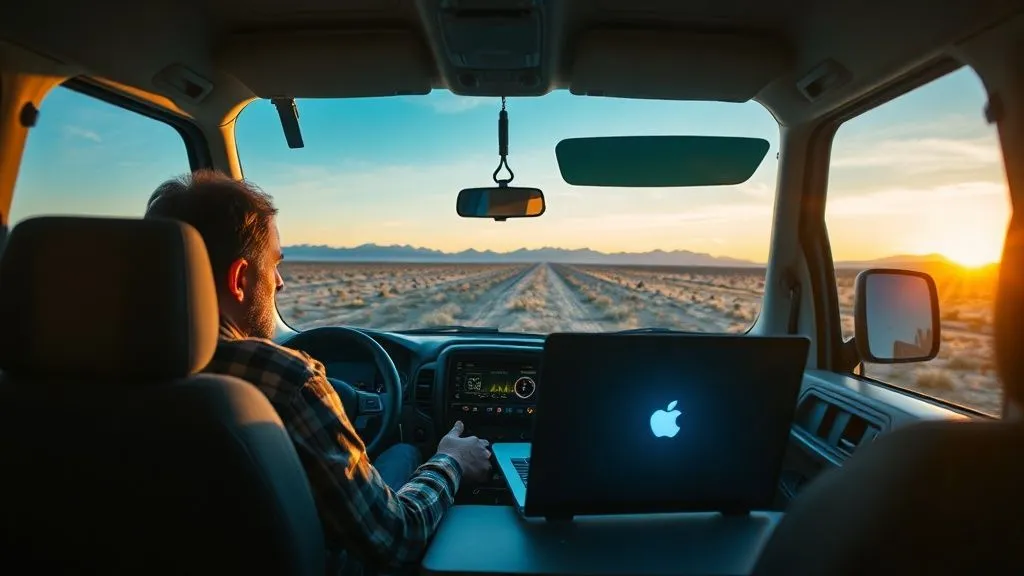
How to Find Reliable Internet for Remote Work on Cross-Country Road Trips?
For over two decades, I've crisscrossed this incredible continent, initially as a passionate explorer, and more recently, as a seasoned remote worker. I've navigated countless backroads, national parks, and small towns, and in that time, I've seen the dream of working from anywhere on a road trip turn into a connectivity nightmare for far too many. The allure of the open road combined with the demands of a remote job is a powerful one, but the reality of maintaining a stable internet connection can be a formidable challenge.
The problem is multifaceted: cellular dead zones, unreliable public Wi-Fi, data throttling, and the sheer unpredictability of rural infrastructure. It's not just about getting online; it's about staying online with enough bandwidth to handle video calls, large file transfers, and critical deadlines. I've personally experienced the panic of a dropped client call in the middle of nowhere and the frustration of waiting hours for a document to upload. These aren't just minor inconveniences; they can impact your professional reputation and your livelihood.
But here’s the good news: through years of trial, error, and extensive research, I've developed a robust framework for achieving genuinely reliable internet for remote work on cross-country road trips. This isn't about magical solutions, but about strategic planning, understanding the right technology, and cultivating smart digital habits. In this definitive guide, I’ll share my hard-won insights, actionable strategies, and the essential gear you need to transform your remote work road trip from a connectivity gamble into a seamless, productive adventure.
Understanding the Connectivity Landscape: What You're Up Against
Before we dive into solutions, it's crucial to understand the fundamental challenges of mobile internet. Unlike your home fiber connection, internet on the road relies heavily on cellular towers, satellite signals, or public Wi-Fi networks, each with its own set of limitations and quirks. Ignoring these realities is the first step towards frustration.
The Mobile Data Maze: Coverage Gaps and Throttling
The vastness of the American landscape means cellular coverage is far from universal. While major highways and urban centers generally have strong signals, venturing into national parks, remote wilderness areas, or even just between small towns can quickly lead to 'no service' zones. Moreover, even when you have signal, many mobile plans come with data caps or 'deprioritization' after a certain usage threshold, meaning your speeds can drop dramatically during peak network times. This isn't a flaw in your device; it's a built-in feature of how mobile networks manage traffic.
Expert Insight: Relying solely on a single mobile carrier's unlimited plan for heavy remote work is often a recipe for disappointment. 'Unlimited' rarely means 'unlimited high-speed data' when you're consuming gigabytes daily for video conferencing and large file transfers.
Strategic Gear: Your Essential Connectivity Toolkit
Building a reliable mobile office requires more than just a laptop and a smartphone. It demands a carefully curated set of tools designed to maximize your chances of staying connected, no matter where the road takes you. Think of it as assembling your connectivity 'go-bag'.
High-Performance Mobile Hotspots and Dedicated Data Plans
Your smartphone's hotspot is convenient, but it's often not robust enough for sustained remote work, especially if you're frequently making video calls. Dedicated mobile hotspots are designed for better performance, stronger antennas, and the ability to connect multiple devices without draining your phone battery. Crucially, they often come with their own dedicated data plans, which can sometimes offer higher priority data than a smartphone hotspot.
- Invest in a Top-Tier Hotspot Device: Look for devices with external antenna ports, support for the latest cellular technologies (5G where available), and a long-lasting battery. Brands like Inseego (MiFi) and Netgear (Nighthawk) are often highly rated.
- Diversify Your Carriers: Don't put all your eggs in one basket. Consider having hotspots from two different major carriers (e.g., Verizon and AT&T, or T-Mobile and AT&T). Different carriers have varying coverage strengths across the country. What works best in the East might be terrible in the West.
- Choose Business/IoT Plans: For true reliability, explore dedicated business or Internet of Things (IoT) plans from carriers. These plans are often designed for consistent, high-volume data usage and may offer better prioritization. I've found that some of these plans, while slightly more expensive, provide vastly superior performance. You can explore their dedicated business data plans for robust options.
Cellular Signal Boosters: Amplifying Your Reach
A cellular signal booster doesn't create a signal where there is none, but it can significantly amplify a weak existing signal, making the difference between 'no service' and 'usable service'. These devices typically consist of an external antenna, an amplifier, and an internal antenna, working together to pull in distant signals and rebroadcast them inside your vehicle.
For anyone serious about consistent connectivity in fringe areas, a good quality booster is non-negotiable. It's often the unsung hero of my mobile office setup, turning a barely-there signal into one strong enough for emails and even light browsing. Just remember, they work best when you have *some* signal to begin with, even if it's just one bar.
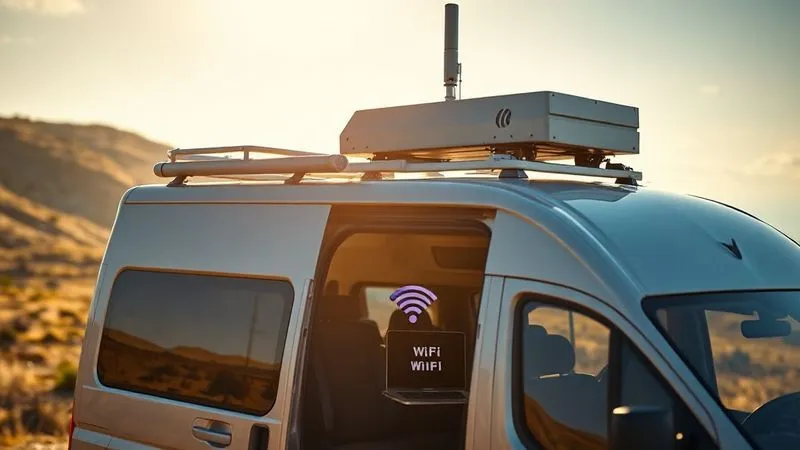
Satellite Internet: Starlink for the True Off-Gridders
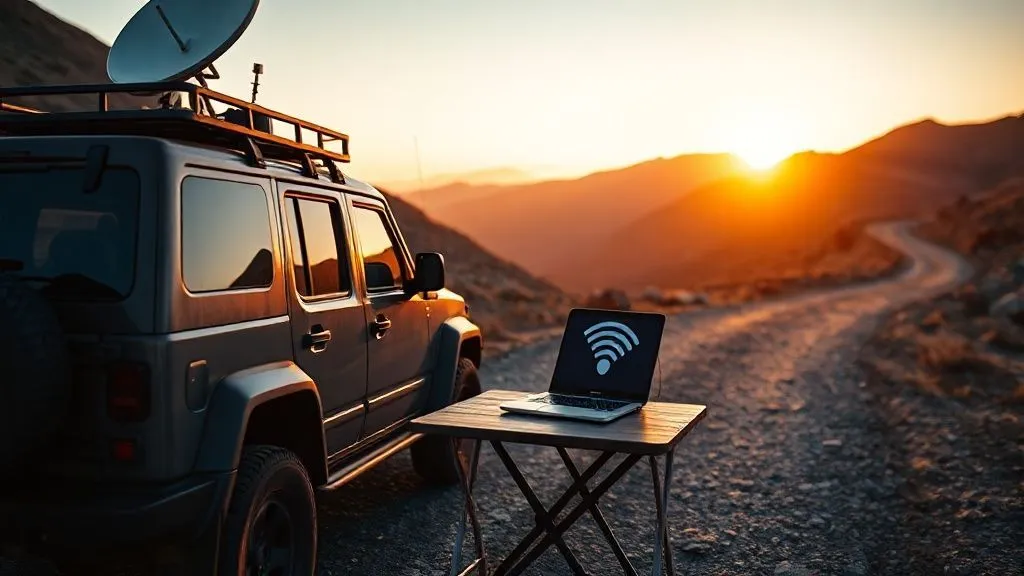
For those who truly venture into the deepest wilderness, beyond the reach of any cellular tower, satellite internet has emerged as a game-changer. While traditional satellite internet has historically been slow and latent, Starlink's low-earth orbit (LEO) constellation offers speeds comparable to broadband and significantly lower latency. The Starlink Roam (formerly RV) service allows you to pause and unpause service as needed, making it ideal for intermittent travel.
It's an investment, both in terms of equipment and monthly cost, but for critical work in truly remote locations, it can be the only viable option. Be aware that it requires a clear view of the sky, meaning dense tree cover can be an issue, and it's not designed for use while driving (though some users have made modifications, this isn't officially supported).
| Connectivity Type | Pros | Cons | Best Use Case |
|---|---|---|---|
| Mobile Hotspot (Multi-Carrier) | Flexible, relatively affordable data, good urban/highway coverage, portable | Coverage gaps in rural areas, potential for throttling, dependent on cellular towers | Frequent stops, mix of urban/rural travel, moderate data needs |
| Cellular Signal Booster | Amplifies existing weak signals, extends range significantly, works with existing devices | Requires an existing signal (even weak), setup can be finicky, doesn't create signal | Traveling through fringe cellular areas, boosting a primary hotspot |
| Starlink Roam (Satellite) | True connectivity in extreme remote areas, high speeds, low latency for satellite | High upfront cost, requires clear sky view, not for use while driving, higher monthly fee | Deep wilderness travel, long stays off-grid, critical high-bandwidth remote work |
Optimizing Your Digital Habits on the Road
Even with the best gear, your personal digital habits play a huge role in conserving data and maintaining productivity. It's about working smarter, not just harder, when your bandwidth might be limited.
Pre-downloading and Offline Workflows
One of the simplest yet most effective strategies is to minimize your reliance on live internet. Before you hit a known dead zone or even just before a long stretch of driving, download everything you might need: documents, maps, entertainment, and even entire websites if possible. Many productivity apps, like Google Docs, Microsoft Office, and Trello, offer robust offline modes that sync automatically once you're back online.
- Download for Offline Access: Ensure all critical files, presentations, and reference materials are stored locally on your device or an external hard drive.
- Offline Maps: Use apps like Google Maps or Maps.me to download entire regions for offline navigation.
- Batch Tasks: Group your online tasks. Instead of checking emails every 10 minutes, set specific times to connect, download, respond, and then go offline again to draft replies.
Cloud Syncing and Data Management Strategies
While you want to work offline, maintaining a secure backup of your work is paramount. This is where strategic cloud syncing comes in. Use services that allow you to selectively sync folders and prioritize critical files. I personally rely on seamless cloud synchronization for your files, setting specific folders to sync only when I have a strong, stable connection, or even manually initiating uploads for large projects.
Additionally, be mindful of background data usage. Close unnecessary apps, disable automatic updates for software and apps, and configure your cloud storage to only sync when connected to Wi-Fi, not cellular data, unless absolutely necessary. Every megabyte counts when you're on a limited data plan.
Leveraging Public and Local Wi-Fi Safely
Public Wi-Fi can be a lifesaver for data-intensive tasks or when you need a break from cellular limits. However, it comes with its own set of challenges, primarily security and often, speed inconsistencies. Use it strategically and cautiously.
Finding Reliable Wi-Fi Hotspots (Cafes, Libraries, RV Parks)
When cellular options are scarce, public Wi-Fi can fill the gap. Look for established businesses and institutions. Starbucks, McDonald's, local coffee shops, public libraries, and RV parks often provide Wi-Fi. Many truck stops also offer paid Wi-Fi services that can be surprisingly robust.
- Use Wi-Fi Finder Apps: Apps like Wi-Fi Map or OpenSignal can help you locate nearby hotspots and often provide user-reported speeds and reliability ratings.
- Ask Locals: Don't be afraid to ask at visitor centers or local businesses for recommendations on where to find a good connection.
- Prioritize RV Parks and Campgrounds: Many modern RV parks advertise high-speed Wi-Fi as an amenity. While quality varies, dedicated RV parks often have better infrastructure than a random cafe.
The Indispensable VPN: Protecting Your Data
Public Wi-Fi networks are notoriously insecure. Without proper protection, your data could be vulnerable to snooping by malicious actors. This is where a Virtual Private Network (VPN) becomes absolutely essential. A VPN encrypts your internet connection, creating a secure tunnel between your device and the internet, making it incredibly difficult for anyone to intercept your data.
I never connect to any public Wi-Fi network without first activating my VPN. It’s a non-negotiable security measure. As cybersecurity experts consistently advise, a VPN is your first line of defense against data breaches on unsecured networks. It adds a layer of peace of mind, allowing you to work from cafes and libraries without constantly worrying about your sensitive information.
Powering Your Mobile Office: Energy Solutions for Uninterrupted Work
Reliable internet is useless if your devices are dead. Power management is an often-overlooked but absolutely critical component of successful remote work on the road. Your vehicle's 12V outlets won't always cut it, especially for multiple devices or high-wattage electronics.
Portable Power Stations and Solar Integration
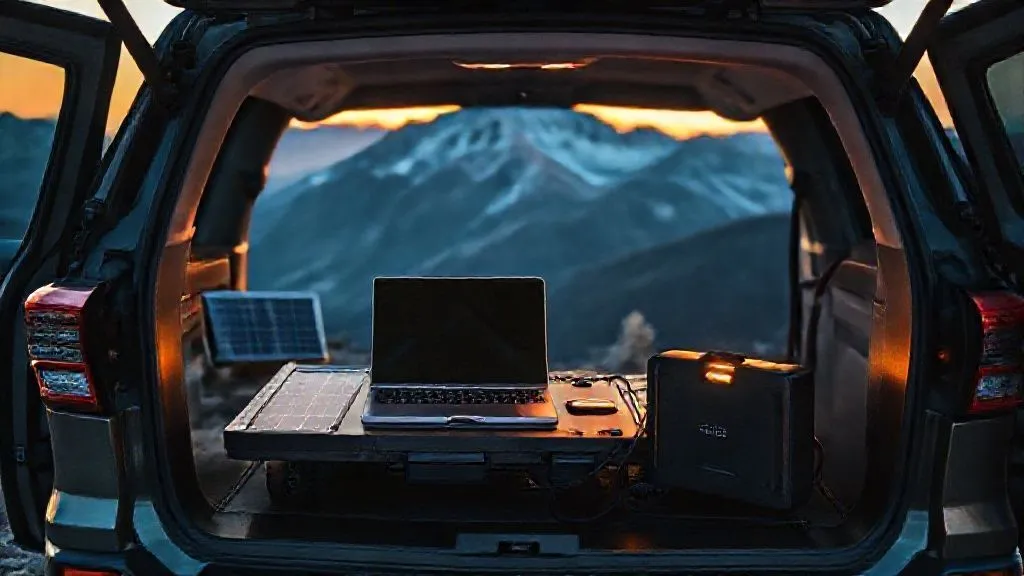
For extended off-grid stays or simply to reduce reliance on your vehicle's alternator, a portable power station (also known as a solar generator) is a game-changer. These large battery packs can power laptops, hotspots, and even small appliances for hours or days. Pair them with a portable solar panel, and you can recharge your power station using the sun, creating a truly self-sufficient mobile office.
Look for power stations with multiple output types (AC outlets, USB-C PD, 12V DC) and a capacity that matches your power needs. Consider brands like Jackery, Goal Zero, or EcoFlow. Investing in a good quality pure sine wave inverter for your vehicle's battery can also be an excellent backup for charging while driving.
Real-World Application: A Case Study in Seamless Road Trip Connectivity
Case Study: How Maya, the Digital Nomad, Conquered Connectivity
Maya, a freelance graphic designer, decided to embark on a three-month cross-country road trip from New York to California, needing to maintain client work throughout. Initially, she relied solely on her phone's hotspot, quickly hitting data caps and facing frustrating dead zones in states like Wyoming and Utah. Her productivity plummeted, and deadlines were missed.
After a particularly stressful week, Maya revamped her strategy based on the principles outlined above. She invested in a high-performance mobile hotspot with a dedicated 100GB data plan from Carrier A, and a smaller backup hotspot from Carrier B. She also purchased a cellular signal booster and a Starlink Roam kit. For power, she bought a 1000Wh portable power station with a 100W foldable solar panel.
Her new workflow involved: 1. Pre-planning: Before entering national parks, she downloaded all client briefs, design assets, and communication templates. 2. Layered Connectivity: In towns, she'd use her primary hotspot. In fringe areas, the signal booster would kick in. For deep wilderness, Starlink became her lifeline. 3. Power Independence: Her solar setup kept everything charged, allowing her to work from stunning, remote campsites. 4. Secure Public Wi-Fi: When stopping in cities, she'd use cafe Wi-Fi with her VPN active for large uploads. This multi-layered approach transformed her trip. She not only met all her deadlines but also delivered higher-quality work, proving that with the right strategy, reliable internet for remote work on cross-country road trips is not just a dream, but an achievable reality.
Troubleshooting Common Connectivity Conundrums
Even with the best setup, you'll inevitably encounter connectivity hiccups. Knowing how to quickly troubleshoot can save hours of frustration.
- No Signal at All: If your booster isn't helping, try moving your vehicle to higher ground, even a few feet can make a difference. Check a coverage map for alternative routes or nearby towns with known signal.
- Slow Speeds/Throttling: If speeds drop, restart your hotspot. Check your data usage against your plan's limits. Switch to a different carrier's hotspot if you have one. Prioritize essential tasks and defer large downloads.
- Hotspot Overheating: Ensure your hotspot has adequate ventilation. Direct sunlight can cause overheating and performance degradation. Move it to a cooler spot.
- Device Not Connecting: Restart both your device and your hotspot. Forget the network on your device and reconnect. Ensure your hotspot isn't overloaded with too many connected devices.
- VPN Issues: If your VPN struggles, try connecting to a different server location. Some public networks block VPNs; if so, you might need to find an alternative connection or temporarily work offline.
Expert Tip: Patience is your most valuable tool on the road. Technology will fail sometimes. Have backup plans and embrace the occasional digital detox. It's part of the adventure.
The Future of Road Trip Connectivity
The landscape of mobile internet is constantly evolving. With the continued rollout of 5G, we can expect faster speeds and lower latency in more areas. The expansion of LEO satellite constellations like Starlink promises to bring high-speed internet to even the most remote corners of the globe, making true digital nomadism more accessible than ever. Furthermore, advancements in vehicle-integrated connectivity solutions, where cars become rolling hotspots with powerful antennas, are on the horizon. This means the problem of how to find reliable internet for remote work on cross-country road trips will likely become less daunting, but the core principles of strategic planning and diversified solutions will always remain key.
Frequently Asked Questions (FAQ)
Q: Is Starlink worth it for occasional road trips, given its cost? A: For occasional trips where you primarily stick to well-covered cellular routes, Starlink's high upfront cost and monthly fee might be overkill. However, if your 'occasional' trips involve significant time in truly remote, off-grid areas where cellular is non-existent, it can be absolutely indispensable for critical work. Its ability to be paused and unpaused is a major benefit for intermittent use.
Q: How much data do I really need for remote work on the road? A: This varies greatly. A light user (emails, light browsing) might get by with 50-100GB per month. A moderate user (some video calls, cloud syncing) might need 150-250GB. Heavy users (frequent video calls, large file transfers, streaming) could easily consume 300GB+ per month. Always overestimate your needs and monitor your usage closely. Consider a plan with at least 100-200GB of high-priority data. According to a recent study by McKinsey, remote work often increases digital tool usage, necessitating robust data plans.
Q: Are public Wi-Fi networks ever truly safe, even with a VPN? A: While a VPN significantly enhances your security on public Wi-Fi by encrypting your data, it's not a foolproof solution against all threats. Always practice good cybersecurity hygiene: avoid logging into sensitive accounts (banking, healthcare) on public Wi-Fi if possible, ensure your operating system and software are updated, and use strong, unique passwords. A VPN mitigates the biggest risks, but vigilance is always required.
Q: What's the biggest mistake people make regarding road trip internet? A: The single biggest mistake is underestimating the challenge and relying on a single, untested solution – typically their smartphone hotspot. The assumption that 'unlimited data' means 'unlimited reliable data' everywhere is a common pitfall. A diversified, multi-layered approach with redundant systems is crucial for true reliability. Reports from leading tech publications consistently highlight the need for dedicated hardware.
Q: Can I rely solely on my phone's hotspot for remote work on a cross-country trip? A: While technically possible for very light, occasional work, relying solely on your phone's hotspot for sustained remote work on a cross-country trip is generally not advisable. Dedicated hotspots offer better antenna performance, battery life, and often access to higher priority data plans. Your phone's hotspot can quickly drain its battery, lead to overheating, and its signal strength is often weaker than a purpose-built device. It's best used as a backup, not your primary solution.
Key Takeaways and Final Thoughts
- Diversify Your Connectivity: Never rely on a single internet source. Combine mobile hotspots (ideally from multiple carriers), cellular boosters, and potentially satellite internet like Starlink.
- Prioritize Power: Ensure you have robust power solutions, including portable power stations and solar charging, to keep your devices running independently.
- Optimize Digital Habits: Embrace offline workflows, pre-download content, and manage your data usage judiciously to conserve bandwidth.
- Secure Your Connection: Always use a VPN on public Wi-Fi to protect your sensitive data from potential threats.
- Plan and Troubleshoot: Research coverage maps for your route, have backup plans for dead zones, and know how to quickly address common connectivity issues.
Embarking on a cross-country road trip while maintaining your remote work responsibilities is an incredibly rewarding experience. It offers unparalleled freedom and the chance to explore while staying productive. The key to unlocking this lifestyle without professional setbacks lies in proactive planning and equipping yourself with the right tools and knowledge. With the strategies outlined in this guide, you're not just hoping for a signal; you're building a resilient, reliable mobile office that can truly go the distance. Hit the road with confidence, knowing your connection is as robust as your adventurous spirit!
Recommended Reading
- 7 Smart Ways to Budget Multi-Generational Family Cruises Without Overspending
- 5 Adventure Spiritual Journeys: Combat Professional Burnout Effectively?
- 5 Secrets: Sustain High-Quality Free Walking Tours on a Shoestring
- The Secret to Saving Fuel on Extended Cross-Country Drives Revealed!
- Fixing Slow Sales: Luxury Shopping City Breaks - 7 Proven Strategies


Your email address will not be published. Required fields are marked *