


How to conduct confidential remote meetings in a noisy hostel?
For over a decade navigating the globe as a digital nomad and an industry specialist in budget travel, I've seen firsthand the unique challenges that arise when professional obligations meet the vibrant, often chaotic, world of hostels. The dream of working remotely from exotic locations often clashes with the harsh reality of needing a quiet, confidential space for critical meetings. I've personally experienced the panic of an important client call looming while a lively jam session erupts downstairs or a dormitory roommate decides it's time for a video game marathon.
The core issue isn't just about finding a quiet spot; it's about maintaining privacy, ensuring audio clarity, projecting professionalism, and safeguarding sensitive information – all within an environment specifically designed for social interaction and affordability, not corporate discretion. This dilemma can be a significant roadblock for digital nomads, remote workers, and even business travelers relying on hostels to stretch their budget, leading to missed opportunities, damaged reputations, and unnecessary stress.
But I'm here to tell you it's not an impossible task. In this definitive guide, I'll share the battle-tested strategies, essential gear, and crucial mindset shifts I've developed over years of budget travel and remote work. We'll dive deep into practical solutions, from leveraging technology to mastering hostel etiquette and even creating your own 'mobile office' sanctuary, ensuring you can conduct confidential remote meetings in a noisy hostel with confidence and professionalism.
1. Pre-Meeting Preparation: The Unsung Hero of Remote Confidentiality
In my experience, 80% of successful confidential remote meetings in a noisy hostel environment come down to meticulous preparation. It's not just about showing up; it's about setting the stage for success long before the call begins. Over the years, I've learned that anticipating potential issues is far more effective than reacting to them in real-time.
Scouting Your Digital Battlefield
Before you even think about connecting, you need to understand your environment and the meeting's requirements. This proactive approach significantly minimizes stress and reduces the likelihood of embarrassing interruptions.
1. Research Hostel Amenities & Reviews
When booking, look for hostels that explicitly mention co-working spaces, quiet zones, or even private rooms. Read recent reviews specifically for mentions of remote work experiences. Some hostels are becoming increasingly digital-nomad friendly, offering dedicated quiet areas, which can be a game-changer.
2. Strategic Scheduling
Time is your ally. Schedule critical meetings during off-peak hours at your hostel. This often means early mornings, late evenings, or during typical meal times when common areas might be less occupied. Consider the time zones of all participants to find a slot that minimizes disruption for everyone, including yourself. A little flexibility here can make a huge difference.
3. Proactive Communication with Meeting Attendees
For highly confidential or critical meetings, it's wise to give your attendees a heads-up, subtly. You don't need to overshare about your hostel stay, but a simple 'I'll be joining from a remote location, so please bear with any minor background sounds, though I'll be using noise-canceling tech' can set appropriate expectations. This transparency builds trust and understanding.
"Preparedness is the key to confidence. When you've anticipated potential challenges and planned for them, you approach your meetings with a calm assurance that even a noisy environment can't easily shake."
- Benefit: Reduces anxiety by having a clear plan.
- Benefit: Sets realistic expectations for all parties involved.
- Benefit: Identifies potential issues before they become problems.
2. Leveraging Technology: Your Arsenal Against Ambient Noise
Technology is your most powerful ally when trying to conduct confidential remote meetings in a noisy hostel. Investing in the right gear and software can virtually create a soundproof bubble around you, even amidst chaos. I've personally tested countless gadgets and apps, and I can attest to the transformative power of a well-equipped digital toolkit.
Essential Audio Gear for Clarity and Privacy
Your audio setup is paramount. Clear communication relies on both you hearing others and others hearing you without distraction.
1. High-Quality Noise-Canceling Headphones
This is non-negotiable. Active Noise Cancellation (ANC) headphones don't just block out sound for you; many also have advanced microphone arrays that isolate your voice, making you sound clear to others. Look for models from reputable brands known for their ANC capabilities. According to RTINGS.com, sound isolation is a key metric for remote work.
2. External USB Microphone
While good headphones help, a dedicated external USB microphone (like a lavalier or a small desktop mic) often provides superior voice isolation and clarity. These mics are designed to pick up sound directly in front of them, minimizing ambient noise. Even a budget-friendly option can be a significant upgrade over a laptop's built-in mic.
Software Solutions for Noise Suppression
Beyond hardware, intelligent software can work wonders in filtering out unwanted sounds.
1. AI-Powered Noise Cancellation Apps
Applications like Krisp.ai are revolutionary. They use artificial intelligence to remove background noise from both your microphone input and the audio you hear from others. This means even if your hostel dorm-mate is snoring, your meeting participants won't hear it, and you won't hear their dog barking. It’s an absolute lifesaver for confidential remote meetings in a noisy hostel.
2. Platform-Specific Features
Most major video conferencing platforms now include built-in noise suppression. Zoom, Microsoft Teams, and Google Meet all offer settings to reduce background noise. Familiarize yourself with these features and ensure they are enabled and optimized for your environment.
"Don't underestimate the power of a quality microphone and intelligent noise-canceling software. They are the invisible walls of your virtual meeting room, protecting your professionalism from the unpredictable symphony of hostel life."
3. Physical Space Hacking: Crafting Your Temporary Sanctuary
Even with the best tech, your physical location plays a crucial role. When I talk about 'space hacking,' I mean strategically choosing and, if necessary, modifying your immediate surroundings to maximize quiet and privacy. This often requires a bit of creativity and local knowledge.
Within the Hostel Walls
Your first line of defense is often within the hostel itself. Not all areas are created equal when it comes to noise levels.
1. Private Rooms or Pods
If budget allows, booking a private room, even for just a few hours, is the ultimate solution for confidential remote meetings. Many hostels now offer 'pods' or semi-private bunks that provide a degree of sound and visual separation. These are excellent investments for high-stakes calls. I've often seen digital nomads book a private room just for a critical workday, then return to a dorm for the night.
2. Lesser-Used Common Areas
Explore your hostel for hidden gems. Is there a small library, a rarely used lounge, or even a patio that's typically empty during certain hours? Sometimes, the reception area can be surprisingly quiet during the day, especially if the staff are used to remote workers. Always ask the staff for recommendations on quiet spots.
Beyond the Hostel: External Options
When the hostel simply won't cut it, you need to look outside.
1. Co-working Spaces and Libraries
Many cities popular with digital nomads have dedicated co-working spaces. These offer reliable internet, professional environments, and often private booths or meeting rooms for rent by the hour. Public libraries can also be fantastic, often providing quiet areas or study rooms. This is where a small daily budget allocation can save your professional reputation.
2. Quiet Cafes (with precautions)
While not ideal for highly confidential meetings, a quiet cafe can work for less sensitive calls. Choose one with soft music, comfortable seating, and enough space to not feel overheard. Always use your noise-canceling headphones and speak softly. Be extremely wary of the Wi-Fi security in such places – more on that later.
Case Study: How Maria Secured Her Pitch in Bali
Maria, a freelance marketing strategist, had a crucial pitch to a potential client in New York while staying at a bustling hostel in Canggu, Bali. Knowing the hostel's common areas were unpredictable, she booked a private room for the day of her meeting, despite it being slightly over her usual budget. She also scouted a local co-working space as a backup. On the day, a sudden construction project began next door to her private room. Thanks to her foresight, she quickly relocated to the pre-booked co-working space, leveraging their soundproof booths and reliable internet. This quick pivot saved her pitch, demonstrating professionalism and resourcefulness, ultimately landing her a lucrative contract.
| Location Type | Pros | Cons |
|---|---|---|
| Hostel Private Room | Convenient, often affordable, immediate access | Can still be noisy, limited amenities, variable internet |
| Hostel Common Area (Quiet Zone) | Free, social atmosphere, easy access | Unpredictable noise, privacy concerns, potential distractions |
| Co-working Space | Professional, reliable internet, private booths, amenities | Costly, travel time, requires booking |
| Library / Public Space | Free, quiet, reliable internet (sometimes) | Limited privacy, not always available, strict rules |
| Quiet Cafe | Ambiance, coffee, relatively low cost | Background noise, public Wi-Fi risks, less privacy for sensitive topics |

4. Mastering Communication & Etiquette: Setting the Stage for Success
Beyond technology and space, your interactions with those around you – both in the hostel and on your call – are critical. As an experienced traveler, I've found that clear communication and respectful etiquette can defuse many potential issues before they escalate, especially when you need to conduct confidential remote meetings in a noisy hostel.
Internal Hostel Communication
Managing your immediate environment involves being considerate and proactive.
1. Informing Hostel Staff
A simple conversation with the hostel reception can go a long way. Let them know you have an important meeting at a specific time and ask if there are any particularly quiet spots they recommend or if they anticipate any loud activities (like cleaning or repairs) during that period. They might even offer you a temporary space or a heads-up if a quiet lounge becomes available.
2. Respecting Fellow Travelers
While you need quiet, remember you're in a shared space. Avoid setting up your 'office' in high-traffic areas or blocking common amenities. If you're in a dorm, be mindful of your roommates. Use visual cues like a 'Do Not Disturb' sign on your bed/pod if you're taking a call from there, and speak in hushed tones.
External Meeting Communication
How you present your situation to your meeting participants can also impact their perception and your overall professionalism.
1. Pre-Meeting Disclosure (Optional but Recommended)
For truly confidential or high-stakes meetings, consider a brief, professional disclosure. 'I'm joining from a remote location with limited control over ambient noise; however, I'm using professional noise-canceling technology to ensure clarity. Please let me know if there are any issues.' This manages expectations without making excuses. Harvard Business Review emphasizes the importance of clear communication in remote settings.
2. Visual Professionalism
Even if your background is a hostel wall, ensure it's tidy and uncluttered. Use virtual backgrounds if appropriate and your device can handle it, but choose a simple, professional one, not a distracting beach scene. Good lighting is also crucial – face a window if possible to avoid looking like you're in a dungeon.
"Etiquette is the silent language of respect. By being considerate of your hostel mates and transparent with your meeting participants, you build goodwill that can smooth over any unexpected bumps."
5. Cybersecurity & Confidentiality: Beyond the Noise
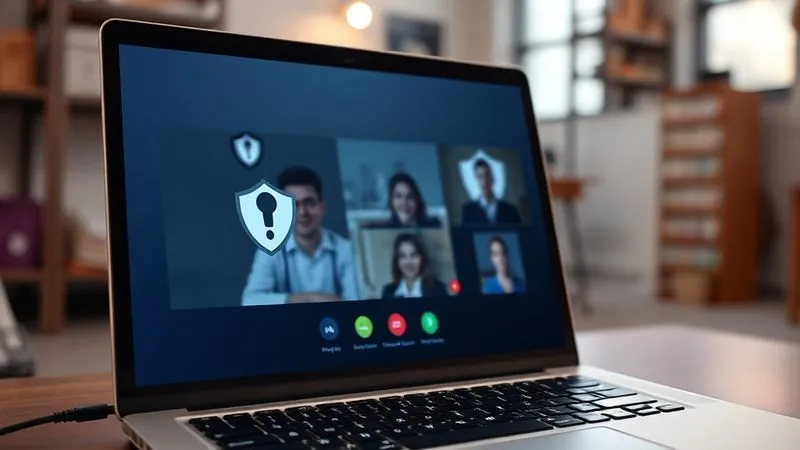
When you're dealing with confidential remote meetings, the threat isn't just noise; it's also the security of your data and communications, especially in a public or semi-public environment like a hostel. As an industry expert, I've seen too many digital nomads overlook this critical aspect, putting sensitive information at risk. This is where your authority and trust come into play.
Securing Your Digital Footprint
Your online presence needs to be as guarded as your spoken words.
1. Always Use a VPN
A Virtual Private Network (VPN) encrypts your internet traffic, making it unreadable to anyone trying to intercept it, especially on public Wi-Fi networks. This is non-negotiable for confidential work. Deloitte highlights the increasing importance of cybersecurity measures for remote workers. Choose a reputable, paid VPN service rather than a free one, as free VPNs often have their own security vulnerabilities or data collection practices.
2. Avoid Public Wi-Fi for Sensitive Calls
Hostel Wi-Fi, while convenient, is often unsecured. It's a prime target for 'man-in-the-middle' attacks where hackers can intercept your data. For confidential meetings, use your phone's personal hotspot with a strong password, or invest in a portable Wi-Fi device (MiFi) with a secure connection. This gives you much greater control over your network security.
3. Screen Sharing Best Practices
If you're sharing your screen, close all irrelevant tabs and applications. Ensure no personal or confidential information is visible in your browser history, desktop icons, or notification pop-ups. Practice sharing specific windows rather than your entire screen to minimize accidental disclosures.
Physical Device Security
Your devices themselves are also targets for both physical and digital breaches.
1. Keep Devices Secure
Never leave your laptop, phone, or any device unattended, even for a moment, in a common area. Use a lock for your laptop if you step away in a co-working space, and always store devices in lockers or secured bags when not in use. Physical security prevents both theft and unauthorized access.
2. Be Mindful of Who Can See Your Screen
In a busy hostel environment, it's easy for someone to glance over your shoulder and see sensitive information. Use a privacy screen filter for your laptop if you're working in a public area. Position yourself against a wall or in a corner to minimize others' visibility of your screen.
"Confidentiality isn't just about what you say; it's about what you protect. In a public setting, your digital and physical security measures are as crucial as your voice."
6. Backup Plans & Contingencies: The Expert's Safety Net
As a seasoned traveler and remote worker, I've learned that even the best-laid plans can go awry. Power outages, internet drops, unexpected noise – these are realities of working from unconventional locations. Having a robust backup plan isn't a luxury; it's a necessity for ensuring your confidential remote meetings proceed smoothly, even in a noisy hostel. This is where true expertise shines through: anticipating the unpredictable.
Redundancy for Critical Resources
Never put all your eggs in one basket, especially when it comes to connectivity and power.
1. Multiple Internet Sources
Your hostel Wi-Fi might be great one minute and disappear the next. Always have a backup. Your phone's personal hotspot is an excellent primary alternative. Consider a local SIM card with a generous data plan or a portable Wi-Fi device (MiFi) as a dedicated backup. I always travel with at least two reliable internet options.
2. Alternative Meeting Locations
Just as Maria did in our case study, always have a secondary location in mind. If your chosen hostel spot becomes unbearable, where can you go? A nearby co-working space, a quiet cafe, or even a local park with good cellular data coverage could be your emergency escape route. Knowing these options beforehand saves precious time and panic during a crisis.
3. Portable Power Solutions
A dead laptop battery during a crucial call is a nightmare. Carry a fully charged power bank that can recharge your laptop (if it supports USB-C PD) and phone multiple times. Always charge your devices to 100% before a meeting, and carry your laptop charger with you, just in case you find an outlet in your backup location.
Emergency Communication Protocols
Sometimes, despite all efforts, a meeting might still be disrupted. How you handle it makes all the difference.
1. Pre-arranged Contact Methods
Before a highly confidential meeting, ensure you have an alternative way to contact key participants (e.g., a WhatsApp group, a personal cell number). If you suddenly drop off a call, you can quickly inform them of the situation and suggest a reconnection method or a reschedule.
2. Graceful Exit Strategies
If a situation becomes untenable (e.g., extremely loud, unexpected interruption), have a polite, concise exit strategy ready. 'Apologies, it seems I'm experiencing some technical difficulties on my end. I'll need to drop off and reconnect immediately.' This buys you time to resolve the issue or implement your backup plan without causing undue alarm or appearing unprofessional.
"The mark of an experienced remote professional isn't just avoiding problems, but gracefully overcoming them. Always have a Plan B, C, and D."
7. The Digital Nomad's Toolkit: Essential Gear for Success
As a veteran of the budget travel and remote work scene, I've refined my packing list to include only the essentials that allow me to conduct confidential remote meetings in a noisy hostel without compromise. This isn't about carrying everything; it's about carrying the *right* things. Think of this as your mobile command center.
Must-Have Hardware
These are the physical items that will form the core of your portable office.
1. Noise-Canceling Headphones with Mic
Again, this is paramount. Invest in a high-quality pair. My personal favorites are over-ear models that offer excellent passive noise isolation in addition to active noise cancellation, ensuring you hear and are heard clearly.
2. Portable Privacy Screen
These attach to your laptop screen and narrow the viewing angle, making it difficult for people sitting next to you to see what you're working on. Essential for maintaining visual confidentiality in public spaces. Forbes often highlights privacy screens as a top digital nomad essential.
3. Reliable Power Bank
A power bank with enough capacity to charge your laptop (if it supports USB-C Power Delivery) and phone multiple times. Look for brands known for safety and efficiency. This is your lifeline when outlets are scarce or unreliable.
4. Universal Travel Adapter with Multiple USB Ports
Ensure you can charge all your devices simultaneously, no matter the country. Look for models with surge protection.
5. Compact External USB Microphone (Optional but Recommended)
If your headphones' mic isn't cutting it, a small, clip-on lavalier mic or a compact desktop USB mic can dramatically improve your audio quality. Many are surprisingly affordable and portable.
Software & Apps
Your digital tools are just as important as your physical ones.
1. VPN Service
As discussed, a premium VPN service is non-negotiable for security on public networks.
2. Noise Suppression Software (e.g., Krisp)
An AI-powered noise cancellation app can be a game-changer for both your outgoing and incoming audio.
3. Cloud Storage with Offline Access
Ensure all your meeting documents and presentation materials are accessible offline. Internet can be flaky, and you don't want to be caught unprepared. Google Drive, Dropbox, or OneDrive all offer robust offline syncing capabilities.
4. Time Zone Converter App
Essential for scheduling meetings across different continents without errors.
| Item | Priority | Benefit | Approx. Cost |
|---|---|---|---|
| Noise-Canceling Headphones | Essential | Audio clarity, privacy | $150-400 |
| Portable Privacy Screen | High | Visual confidentiality | $30-80 |
| High-Capacity Power Bank | Essential | Uninterrupted power | $50-150 |
| VPN Service (Subscription) | Essential | Data security, privacy | $5-15/month |
| External USB Microphone | Medium | Superior voice isolation | $20-100 |
| Local SIM Card / eSIM | High | Backup internet, local calls | Varies by region |
8. Mindset & Stress Management: Staying Composed Under Pressure
Finally, and perhaps most importantly, is the psychological aspect of conducting confidential remote meetings in a noisy hostel. I've learned that even with all the right gear and planning, a calm and adaptable mindset is your ultimate tool. The reality of budget travel is constant change, and how you react to unforeseen circumstances defines your success.
Cultivating a Calm Approach
Developing mental resilience can significantly reduce the stress associated with these challenging environments.
1. Practice Mindfulness and Deep Breathing
Before a critical call, take a few minutes to practice deep breathing exercises. This can lower your heart rate, calm your nerves, and help you focus. A clear mind is better equipped to handle sudden distractions or technical glitches.
2. Embrace Flexibility
Things *will* go wrong. The internet *will* drop. Someone *will* start practicing guitar next to your 'quiet' spot. Instead of getting frustrated, cultivate flexibility. See these as challenges to overcome, not insurmountable obstacles. Your ability to adapt quickly is a valuable professional skill.
3. Learn to Let Go of Perfection
While professionalism is key, striving for absolute perfection in a hostel environment is a recipe for burnout. Aim for excellence, but accept that some minor imperfections might occur. Your clients and colleagues are often more understanding than you think, especially if you handle situations with grace and competence.
Post-Meeting Reflection
Learning from each experience is crucial for continuous improvement.
1. Review and Adapt
After each confidential remote meeting, take a moment to reflect. What worked well? What didn't? Was the noise level manageable? Was your tech effective? Use these insights to refine your strategies for future calls. This iterative process is how I've developed my expertise over the years.
2. Celebrate Small Wins
Successfully navigating a confidential meeting in a challenging environment is a win! Acknowledge your efforts and the skills you're developing. This positive reinforcement helps build confidence and resilience for the next challenge.
"Your greatest asset in any challenging environment isn't your gear; it's your mindset. Cultivate calm, embrace flexibility, and you'll find solutions where others see only obstacles."
Frequently Asked Questions (FAQ)
Q: What if I absolutely cannot find a quiet place within or outside the hostel? A: If all attempts to find a quiet space fail, your primary fallback is always your technology. Rely heavily on high-quality noise-canceling headphones with an excellent microphone and robust AI-powered noise suppression software (like Krisp.ai). Inform your meeting participants beforehand about potential background noise, emphasizing your use of technology to mitigate it. As a last resort, consider rescheduling or suggesting an audio-only call if visual professionalism is compromised. I've had to make that call a few times, and transparency is always appreciated.
Q: How do I handle unexpected interruptions during a confidential call? A: For minor, brief interruptions (e.g., someone walking by), a quick, professional apology to your meeting participants and a brief pause is usually sufficient. For more significant or prolonged disruptions (e.g., loud music suddenly starting), use your pre-arranged graceful exit strategy. State that you're experiencing technical difficulties and will reconnect. Then, quickly implement your backup plan (e.g., move to an alternative location, switch to a different internet source). It's better to briefly drop off and return composed than to struggle through a chaotic call.
Q: Is it ethical to use AI noise suppression for confidential meetings, especially if it alters my voice? A: Absolutely, it's ethical. AI noise suppression is a tool designed to enhance clarity and professionalism, not to deceive. It filters out background noise, ensuring your voice is heard clearly, which is a professional courtesy. It doesn't typically alter your voice in a way that would be misleading. In fact, many professional video conferencing platforms have this feature built-in. The goal is to facilitate clear communication, which is always ethical in a business context.
Q: What's the best way to explain my situation to clients without sounding unprofessional or making excuses? A: Honesty tempered with professionalism is key. Instead of making excuses, frame it as a proactive measure to ensure clear communication. A simple, 'I'm currently working remotely from a location with a vibrant atmosphere, but I've invested in professional noise-canceling technology to ensure our conversation remains clear and focused. Please let me know if you experience any audio issues,' sets a confident tone. It shows you're prepared and resourceful, not just making excuses.
Q: Are there specific types of hostels better suited for remote work and confidential meetings? A: Yes. Look for 'boutique hostels,' 'digital nomad hostels,' or those that explicitly advertise co-working spaces, private pods, or quiet zones. Read reviews carefully, specifically searching for mentions of Wi-Fi quality and noise levels. Hostels in quieter neighborhoods or those with a more mature clientele (less party-focused) are often better bets. Always call ahead or check their website for dedicated remote work facilities.
Key Takeaways and Final Thoughts
- Preparation is paramount: Research, schedule strategically, and communicate proactively.
- Leverage technology: Invest in quality noise-canceling headphones, external mics, and AI noise suppression software.
- Strategize your space: Utilize private rooms, quiet common areas, or external co-working spaces.
- Master etiquette: Be considerate of others and transparent with your meeting participants.
- Prioritize security: Always use a VPN and secure networks for confidential information.
- Build robust backups: Have alternative internet, power, and location plans ready.
- Equip your toolkit: Pack essential gear like privacy screens and power banks.
- Cultivate a resilient mindset: Embrace flexibility, manage stress, and learn from every experience.
Conducting confidential remote meetings in a noisy hostel environment is undeniably challenging, but it is far from impossible. By combining smart preparation, the right technology, strategic use of space, impeccable etiquette, and a resilient mindset, you can transform these potential pitfalls into opportunities to showcase your adaptability and professionalism. As I've navigated my own journey as a digital nomad, I've learned that these challenges aren't just obstacles; they're opportunities to hone skills that make you an invaluable asset in today's increasingly remote and flexible work landscape. Go forth, stay connected, and conquer the noise!
Recommended Reading
- Maximize Value: 7 Expert Strategies for Multi-Week Budget Road Trips
- Critical Art Damaged in Transit? 7 Steps to Festival Recovery
- 7 Proven Strategies: Beat City Break Overwhelm for Maximum Productivity
- Unlock Stress-Free Journeys: Your Essential Packing List for Disabled Travelers
- The Ultimate Guide: Unlocking Adventurous Family Travel with Toddlers





Your email address will not be published. Required fields are marked *